
WiWU USB C Hub, T02 Multiple Function 1 Type C adapter for Macbook

The WiWU USB C Hub, T02 Multiple Function 1 Type C adapter for Macbook solves one of the most common MacBook frustrations: limited ports. This compact adapter expands a single USB-C port into multiple connectors. It lets you plug monitors, storage, Ethernet, and SD cards with minimal fuss. If you need a practical, affordable docking option, this adapter deserves serious consideration.
Overview: What the WiWU USB C Hub, T02 Multiple Function 1 Type C adapter for Macbook offers
The WiWU USB C Hub, T02 Multiple Function 1 Type C adapter for Macbook gives essential connectivity in a small package. It targets MacBook users who travel or work remotely. Designers, students, and professionals will find the core ports they need. The hub focuses on reliability and plug-and-play convenience.
- Compact aluminum housing for heat dissipation and durability
- Multiple ports including HDMI, USB-A, SD/microSD, and Ethernet
- Supports high-resolution video and fast data transfer
Recommended Products
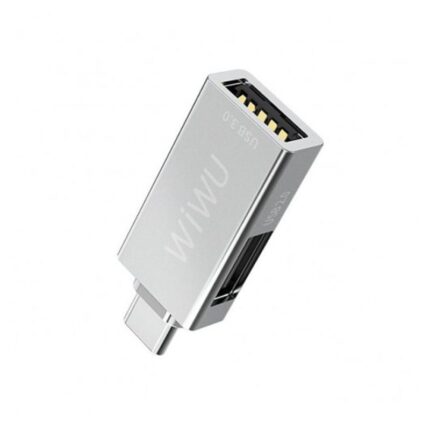


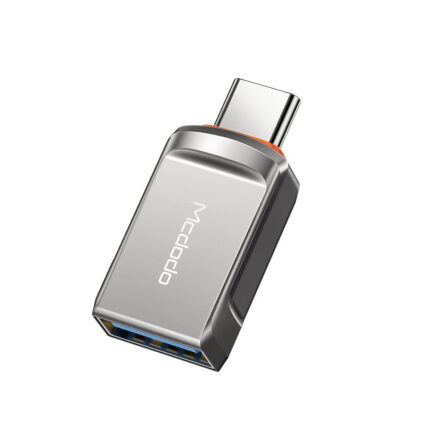
WiWU USB C Hub T02 features and specs
This section lists the T02 multiple function adapter’s main features and technical specs. It helps you check compatibility before buying.
- HDMI output: up to 4K@30Hz for external displays
- USB-A ports: typically two or three USB 3.0 ports for peripherals
- SD and microSD card reader: UHS-I speeds for photographers
- Gigabit Ethernet: stable wired network connection
- USB-C power delivery pass-through: charges the MacBook while using the hub
- Aluminum alloy body: lightweight and sturdy
The hub’s specs vary by model. Check the exact WiWU USB C Hub, T02 Multiple Function 1 Type C adapter for Macbook specs before purchase. If you need higher refresh rates, verify HDMI support. The design typically balances performance and portability.
Design, build quality, and portability
WiWU focuses on a slim profile that matches MacBook aesthetics. The hub usually connects via a short USB-C cable. The aluminum finish reduces weight and improves heat dispersion. The connectors sit aligned to reduce stress on the laptop port.
- Sleek design complements MacBook lines
- Rubber feet or textured underside on some models prevent slipping
- Short cable keeps the hub close to the laptop for portability
Overall, the hub aims to be durable without adding bulk. You can toss it in a laptop bag. It fits daily commuting and frequent travel workflows.
Ports and performance: real-world use
The WiWU USB C Hub, T02 Multiple Function 1 Type C adapter for Macbook handles mixed workloads. You can run an external monitor, transfer files, and charge the laptop simultaneously. The USB-A ports support USB 3.0 speeds. The SD card reader moves photos fast enough for basic editing tasks.
- HDMI delivers clear video for presentations and extended desktops
- USB-A ports work with keyboards, mice, and external drives
- Ethernet provides reliable connections for low-latency video calls
Note that sustained heavy loads can generate heat. The hub performs best when you avoid extreme continuous data transfer while running multiple high-resolution displays.
Compatibility and setup
Most MacBook models with USB-C or Thunderbolt 3/4 support the WiWU hub. The hub works with macOS without drivers. Some Windows laptops and tablets will also work. Check device compatibility if you use niche hardware.
- Plug and play on macOS and Windows
- Power delivery requires a PD-compatible charger
- HDMI may require display settings adjustment in some setups
To set up, connect the hub to your MacBook’s USB-C port. Plug your HDMI cable or peripherals. If you need charging, connect a PD charger to the hub’s USB-C input. macOS should detect external displays and drives automatically.
WiWU USB C Hub, T02 Multiple Function 1 Type C adapter for Macbook price and value
Price varies by retailer and region. Search for wiwu usb c hub, t02 multiple function 1 type c adapter for macbook price to compare offers. The hub usually sits in the budget to mid-range price tier. It competes with other USB-C adapters that aim for affordability and functionality.
- Budget-friendly compared to full docking stations
- Offers solid value for most everyday users
- Look for bundle deals and warranties to improve value
Consider the cost-per-port and build quality when you compare. A slightly higher price may be worth it for aluminum shells and better heat handling. For casual users, the T02 often delivers the best balance of price and features.
Best use cases and who should buy it
This hub fits several common user profiles. Choose the hub if you need more ports while keeping mobility.
- Remote workers who need Ethernet and HDMI
- Photographers who need SD and microSD slots for quick offloads
- Students who require USB-A for legacy peripherals
- Travelers who want a compact multiport adapter
If you need multiple high-resolution monitors or heavy 4K at 60Hz, consider a higher-end dock. For single external monitor setups and everyday peripherals, the WiWU hub works well.
Comparing with similar adapters
When you research, include “t02 multiple function 1 type c adapter for macbook review” in searches. Compare port count, PD wattage, HDMI resolution, and build material. Some competitors add an extra USB-C data port. Others include DisplayPort or VGA. The WiWU usually offers a strong mix for MacBook users.
- Compare HDMI refresh rates for video work
- Check PD wattage for fast charging needs
- Verify SD card speeds if you shoot RAW photos
Practical tips and troubleshooting
Keep your hub’s firmware and macOS updated for best compatibility. If your display fails to appear, unplug and reconnect the HDMI cable. Try a different USB-C port on the MacBook. Use a PD charger that meets the hub’s wattage recommendations. If the hub gets warm, give it space and avoid direct sun.
- Use certified cables for reliable performance
- Test ports individually to isolate issues
- Carry a small cable organizer to prevent damage in transit
WiWU USB C Hub, T02 Multiple Function 1 Type C adapter for Macbook buying guide
Follow these steps when choosing a hub. This wiwu usb c hub, t02 multiple function 1 type c adapter for macbook buying guide will speed up your decision.
- List the ports you need right now and in the near future
- Check PD wattage if you plan to charge at full speed
- Confirm HDMI resolution and refresh rate for your displays
- Read real user reviews for long-term reliability
- Compare warranty terms and return policies
Buying smart means balancing current needs with future flexibility. If portability matters most, prioritize size. If you need more power, prioritize PD and thermal design.
Frequently Asked Questions
Does the WiWU USB C Hub T02 support 4K monitors?
The hub typically supports up to 4K@30Hz via HDMI. Check the exact model specs for refresh rate and compatibility with your monitor.
Will this hub charge my MacBook while using other ports?
Yes. The hub supports USB-C power delivery pass-through. Use a PD-compatible charger with the recommended wattage for best charging performance.
Is the WiWU hub compatible with older MacBooks?
Older MacBooks without USB-C need an additional adapter. For MacBooks with USB-C or Thunderbolt 3/4, the hub should work plug-and-play on macOS.
What is the wiwu usb c hub, t02 multiple function 1 type c adapter for macbook warranty?
Warranty terms vary by retailer and region. Check the seller’s product page for warranty duration and return policies.
How does the wiwu usb c hub, t02 multiple function 1 type c adapter for macbook price compare?
The price sits in the budget-to-mid-range segment. It offers good value for daily use compared to larger docking stations.
Conclusion
The WiWU USB C Hub, T02 Multiple Function 1 Type C adapter for Macbook gives a practical and portable expansion for modern MacBooks. It balances port variety, build quality, and affordability. If you need an all-around adapter for presentations, photo offloads, and wired networking, this hub is a strong candidate. Review the WiWU USB C Hub, T02 Multiple Function 1 Type C adapter for Macbook specs and price before you buy. Match the hub’s features to your workflow to ensure a good long-term fit.