
UGREEN 7-in-1 USB C Hub 5 Gbps with 4K HDMI Power Delivery

If you need a compact hub that expands a single USB-C port into multiple high-speed connections, the UGREEN 7-in-1 USB C Hub 5 Gbps with 4K HDMI Power Delivery is a strong candidate. This hub promises fast data transfer, 4K video output, and power delivery in a slim aluminum shell. This review walks through the features, specs, price considerations, and practical tips to decide if this hub suits your setup.
UGREEN 7-in-1 USB C Hub 5 Gbps with 4K HDMI Power Delivery Features
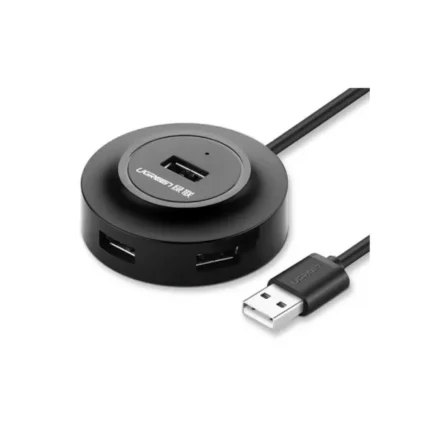
The hub combines a mix of ports designed for modern laptops and tablets. It includes a 4K HDMI port for external displays, three USB-A ports that support 5 Gbps transfers, a USB-C PD pass-through, an SD card reader, and a microSD slot. The aluminum body helps dissipate heat and matches many laptops. It also supports plug-and-play, so you can connect devices without installing drivers on most systems.
- 4K HDMI output at 30Hz or 60Hz depending on host device and resolution
- USB-A ports with USB 3.1 Gen 1 speed (5 Gbps)
- USB-C Power Delivery pass-through up to 100W (device dependent)
- SD and microSD card readers for quick media access
- Slim, portable aluminum design
Recommended Products

UGREEN 7-in-1 USB C Hub 5 Gbps with 4K HDMI Power Delivery Review
The hub performs well for everyday productivity and travel use. Data transfers feel fast. File copying from an SSD or flash drive completes quickly over the 5 Gbps USB-A ports. The HDMI port reliably connects to external monitors and TVs. If your laptop supports HDMI 2.0 over its USB-C alt mode, the hub can deliver 4K at 60Hz. When the host limits alt mode, you may see 4K at 30Hz instead.
Video playback stayed smooth for presentations and streaming at common resolutions. Photo import from SD cards took seconds for large files. Charging worked as expected; my laptop drew power while I ran multiple peripherals. Heat buildup remained modest during normal use, thanks to the aluminum shell that spreads warmth efficiently.
- Pros: solid build, reliable connections, true 5 Gbps USB-A, compact
- Cons: HDMI refresh rate depends on host, no Ethernet port, limited ports compared to larger docks
UGREEN 7-in-1 USB C Hub 5 Gbps with 4K HDMI Power Delivery Specs
Knowing key specs helps match the hub to your needs. The hub’s main specifications focus on data speed, video capability, and power delivery. Below is a concise breakdown of the most relevant technical details.
- Data transfer: USB 3.1 Gen 1 (5 Gbps) on USB-A ports
- Video output: HDMI supporting up to 4K (30Hz or 60Hz depending on host)
- Power Delivery: USB-C PD pass-through up to 100W (subject to host and cable)
- Card readers: SD and microSD slots (UHS-I performance typical)
- Compatibility: Windows, macOS, ChromeOS, and many tablets with USB-C alt mode
UGREEN 7-in-1 USB C Hub 5 Gbps with 4K HDMI Power Delivery Price
Pricing varies by retailer and seasonal promotions. The hub usually lands in the mid-range price band for compact USB-C hubs. It offers more value than bare minimum dongles because it bundles fast USB-A ports, dual card readers, and PD charging with a 4K HDMI output. If you shop during sales or check authorized sellers, you can often find discounts around major shopping events.
- Expect mid-range pricing compared to single-function dongles
- Look for bundle deals or certified reseller discounts
- Consider the warranty and return policy when assessing price value
How to Use the Hub: Practical Tips
Set it up in seconds. Plug the hub into your laptop’s USB-C port and connect peripherals. If you connect an external monitor, confirm the laptop supports DisplayPort or HDMI alt mode over USB-C. Use a high-quality USB-C cable rated for PD if you plan to pass power through.
- Connect power delivery first if you need to charge while using peripherals
- Test each USB-A port with a thumb drive and an external SSD to confirm 5 Gbps speeds
- For video, try different HDMI cables and reduce resolution if the monitor does not sync
Best UGREEN 7-in-1 USB C Hub 5 Gbps with 4K HDMI Power Delivery Use Cases
This hub suits a range of users. Travelers gain a compact way to expand ports on thin laptops. Content creators benefit from fast card reading and 4K output for previewing video. Office users gain extra USB-A ports for keyboards, mice, and storage. It also makes a good secondary dock for hotel rooms or coffee shops.
- Digital nomads who need lightweight but versatile connectivity
- Photographers and videographers who move large media files from SD cards
- Students who want to connect monitors, drives, and charge their laptop simultaneously
UGREEN 7-in-1 USB C Hub 5 Gbps with 4K HDMI Power Delivery Buying Guide
Choose a hub based on your device and workflow. Verify that your laptop supports video output through USB-C and the power delivery wattage it can accept. Check how many USB-A ports you need. Decide whether you want a built-in Ethernet port; if so, consider larger docks. Match the card reader speed to your camera’s output to avoid bottlenecks. Finally, check for brand reputation and warranty coverage.
- Confirm USB-C alt mode and PD compatibility on your host device
- Compare actual PD wattage delivered, not just the hub’s maximum rating
- Look for UHS-I or higher SD support if you shoot RAW or 4K video
Comparing Alternatives and What Makes This Hub Stand Out
Many hubs copy this configuration but differ in material, port layout, and power delivery. The UGREEN 7-in-1 USB C Hub 5 Gbps with 4K HDMI Power Delivery stands out for balanced features, sturdy build, and consistent data speeds. Cheaper models sometimes use plastic and deliver lower sustained transfer rates. Higher-end docks add Ethernet, multiple video outputs, and more USB-C ports, but they cost more and weigh more.
- Choose UGREEN for a balance of portability and performance
- Pick a larger dock if you need Ethernet or multiple external monitors
- Consider warranty and customer service reputation when comparing
Frequently Asked Questions
Does the UGREEN 7-in-1 USB C Hub 5 Gbps with 4K HDMI Power Delivery support 4K at 60Hz?
The hub can support 4K at 60Hz if your laptop’s USB-C port supports DisplayPort 1.4 or HDMI alt mode at that refresh rate. Some hosts only provide 4K at 30Hz, so check your device’s specifications.
Can I charge my laptop through the hub while using USB devices?
Yes. The hub supports USB-C Power Delivery pass-through. If your charger and cable deliver sufficient wattage and your laptop accepts PD, the hub will charge your laptop while connected devices run. Confirm the PD wattage your laptop requires to ensure adequate charging.
Conclusion
The UGREEN 7-in-1 USB C Hub 5 Gbps with 4K HDMI Power Delivery offers a compact, reliable way to expand a single USB-C port into essential connections for work and travel. It delivers fast 5 Gbps USB transfers, convenient SD/microSD card access, and 4K HDMI output while allowing pass-through charging. For users who need a lightweight hub without sacrificing performance, this UGREEN model provides a solid combination of features, build quality, and value.