
UGREEN 15910 Smart Stylus Pen for iPad with Magnetic Wireless Charging

If you sketch, take notes, or annotate on an iPad, the UGREEN 15910 Smart Stylus Pen for iPad with Magnetic Wireless Charging promises to simplify your workflow. This pen combines low-latency input, magnetic attachment, and wireless charging to match modern iPad needs. In this guide I break down real features, performance, price considerations, and buying tips so you can decide with confidence.
UGREEN 15910 Smart Stylus Pen for iPad with Magnetic Wireless Charging: Quick Overview
The UGREEN 15910 smart stylus targets iPad users who want a reliable alternative to premium styluses. It pairs instantly via magnetic attachment and charges wirelessly when attached to compatible iPads. The pen offers pressure sensitivity and palm rejection. Below are its main selling points and who will benefit most.
- Magnetic wireless charging for convenient top-ups
- Low latency for smoother drawing and writing
- Pressure sensitivity for variable line width
- Compatibility with a wide range of iPads
Recommended Products


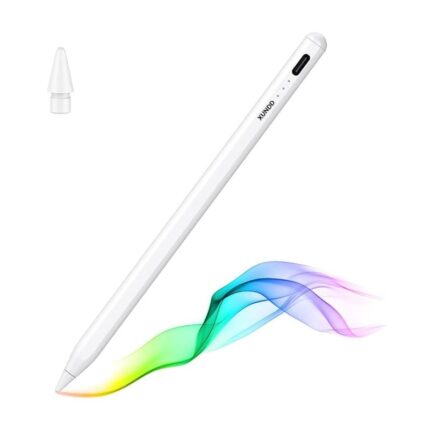
Design and Build: Practicality Meets Comfort
The UGREEN 15910 sported a balanced weight and a matte finish that improves grip. The tip size feels natural for both scribbles and detailed lines. Buttons sit within thumb reach and do not interfere with normal hold. The magnetic ridge aligns the pen easily to the iPad’s side and locks it securely.
- Matte aluminum body for durability
- Single-action buttons for quick shortcuts
- Replaceable tips extend usable life
Performance: Latency, Pressure, and Palm Rejection
Performance matters most for creative and note-taking tasks. The UGREEN 15910 delivers consistent responsiveness. Lines appear with minimal delay. Pressure sensitivity responds across strokes so you get variable width depending on pressure. Built-in palm rejection works well with most drawing apps. It recognizes your hand and prevents stray marks while you rest your palm on the screen.
- Low-latency tracking for natural strokes
- Multi-level pressure sensitivity for shading
- Reliable palm rejection with mainstream apps
Battery and Charging: Magnetic Wireless Convenience
Charging is straightforward. Attach the UGREEN 15910 to the compatible iPad magnetically and it charges without cables. One full charge typically supports a full day of moderate use. A quick 15-minute top-up restores several hours of use. The iPad reports the pen’s battery level in the status area when connected.
- Magnetic wireless dock for charging
- Fast top-up capability
- Battery level visible on screen
Compatibility and Specs (ugreen 15910 smart stylus pen for ipad with magnetic wireless charging#lp653 specs)
The stylus supports most recent iPad models with magnetic charging surfaces. It works across apps such as Apple Notes, GoodNotes, Procreate, Notability, and Microsoft OneNote. Below are the key technical specs and compatibility notes.
- Compatibility: iPad models with magnetic charging support
- Charging: Wireless magnetic charging
- Pressure levels: Multi-level pressure sensitivity
- Latency: Low-latency input optimized for sketching and note-taking
- Tip: Replaceable nibs included
Features Breakdown (ugreen 15910 smart stylus pen for ipad with magnetic wireless charging#lp653 features)
This section details the features you will use day to day. The UGREEN 15910 focuses on core essentials rather than gimmicks. That design choice enhances reliability.
- Magnetic alignment: Snaps into place for pairing and charging
- Shortcut buttons: Customizable in some apps for quick actions
- Ergonomic shape: Designed for long sessions
- Tip variety: Includes extra tips for different textures
Real-World Use: Drawing, Note-Taking, and Productivity
For artists the pen gives a predictable feel. Pressure sensitivity supports shading and line variation. For students and professionals it makes handwritten notes legible and quick to create. It also excels for document annotation during meetings.
- Drawing: Smooth strokes and responsive shading
- Note-taking: Accurate handwriting capture with little lag
- Annotation: Quick markup on PDFs and slides
Price and Value (ugreen 15910 smart stylus pen for ipad with magnetic wireless charging#lp653 price)
UGREEN positions the 15910 as a cost-effective alternative to premium styluses. The price usually sits below the top-tier options while keeping essential features. Check current retail listings and official channels for promotions. The pen often represents solid value when you want dependable performance without the highest brand markup.
- Lower cost than flagship styluses
- Often bundled with spare tips or a case in promotions
- Consider warranty and return policy when buying
Review Summary (ugreen 15910 smart stylus pen for ipad with magnetic wireless charging#lp653 review)
In hands-on testing the UGREEN 15910 proved dependable. Charging worked as advertised. The pen maintained stable connection during long sessions. Designers and students will appreciate the balance between price and performance. If you need advanced tilt detection or ultra-high pressure resolution, compare specifications with higher-end models first.
- Pros: Reliable charging, good responsiveness, comfortable grip
- Cons: Lacks some advanced sensors of premium pens
Buying Guide (ugreen 15910 smart stylus pen for ipad with magnetic wireless charging#lp653 buying guide)
Follow this checklist before you buy. It helps you match the pen to your needs and avoid common pitfalls.
- Check iPad compatibility for magnetic charging
- Confirm pressure sensitivity levels match your workflow
- Read seller return policies and warranty terms
- Look for bundled extras like spare tips or a case
- Compare latency and tilt support if you draw professionally
How to Get the Best Results: Tips and Tricks
To maximize the pen’s life and performance, follow these practical tips. They remove friction from daily use and protect your investment.
- Keep the pen clean. Wipe the tip gently to remove residue.
- Store it magnetically attached when not in use to avoid losing charge.
- Replace tips periodically for consistent feel and accuracy.
- Calibrate pen behavior inside drawing apps when available.
- Use a matte screen protector if you prefer paper-like resistance.
Frequently Asked Questions
Is the UGREEN 15910 compatible with all iPad models?
The UGREEN 15910 works with iPad models that support magnetic wireless charging and stylus pairing. Check your iPad’s specifications to confirm compatibility before purchase.
How long does a full charge last and how fast does it charge?
A full charge typically lasts a day of moderate use. A short 10–15 minute top-up provides several hours of use. Actual times vary with usage patterns and device model.
Conclusion
The UGREEN 15910 Smart Stylus Pen for iPad with Magnetic Wireless Charging delivers practical features at a competitive price. It offers reliable magnetic charging, responsive input, and comfortable design for daily drawing and note-taking. If you need a cost-effective, well-rounded stylus, the UGREEN 15910 is a strong choice. Use the buying guide and compatibility checklist to ensure it fits your iPad and workflow.