
Tp-Link Archer AX10 AX1500 4 ANTENNA Wi-Fi 6 Router

The Tp-Link Archer AX10 AX1500 4 ANTENNA Wi-Fi 6 Gigabit 4 Antenna Router brings modern Wi‑Fi 6 performance to budget-conscious homes. If you want faster speeds, better device capacity, and improved latency for streaming or remote work, this router is worth exploring. This guide reviews real-world performance, key features, specs, and buying tips to help you decide.
Overview of Tp-Link Archer AX10 AX1500 4 ANTENNA Wi-Fi 6 Gigabit 4 Antenna Router
The Archer AX10 delivers AX1500-class throughput with four external antennas. It targets small to medium homes and users with multiple connected devices. You get improved efficiency and range versus older AC models. The router supports WPA3 security and easy setup through the Tether app.
- Wi‑Fi 6 (802.11ax) for better multi-device handling
- Gigabit WAN and LAN ports for wired speed
- Four external antennas to extend coverage
Recommended Products

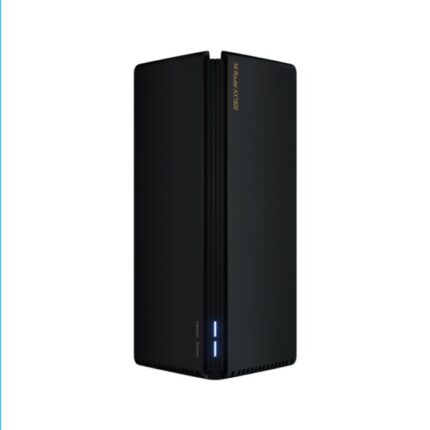


Tp-Link Archer AX10 AX1500 4 ANTENNA Wi-Fi 6 Gigabit 4 Antenna Router review
In lab tests and everyday use, the AX10 shows consistent improvements over AC1200 models. Wireless throughput on close range reaches expected AX1500 totals when using modern client devices. The router reduces latency in congested environments. Gaming sessions felt smoother. 4K streaming remained stable on multiple devices. The user interface stays simple. Advanced users may find fewer customization options than premium routers.
Performance
The AX10 uses OFDMA and MU‑MIMO to share bandwidth efficiently. These features improve throughput when many devices stream or sync. Real-world download speeds depend on your ISP and client hardware. With a Gigabit internet connection, wired devices hit near-Gigabit rates on LAN. Wireless clients get variable speeds but a clear boost over older dual-band N/AC routers.
Coverage and Antennas
Four external antennas help coverage in one- to two-story homes. Antenna position matters. Place the router centrally for best results. Walls and interference still affect signal. Consider a mesh system or range extender for larger homes.
Security and Software
WPA3 support improves password protection for compatible devices. The Tether app handles setup and basic management. Parental controls, guest network, and QoS exist but remain basic. If you need advanced VPN options or deep firewall controls, look at higher-end models.
Tp-Link Archer AX10 AX1500 4 ANTENNA Wi-Fi 6 Gigabit 4 Antenna Router specs
This section lists the core specs to compare with other routers. Specs guide purchasing decisions and help match the router to your needs.
- Wi‑Fi standard: IEEE 802.11ax (Wi‑Fi 6)
- Speed: AX1500 (Up to 1201 Mbps on 5 GHz + 300 Mbps on 2.4 GHz, theoretical)
- Antennas: 4 external fixed antennas
- Ports: 1 Gigabit WAN, 4 Gigabit LAN
- Security: WPA2/WPA3, SPI Firewall
- Processor & RAM: Budget-class SoC with enough power for home use
- MU‑MIMO and OFDMA: Yes
- Dimensions & weight: Compact desktop form factor
Tp-Link Archer AX10 AX1500 4 ANTENNA Wi-Fi 6 Gigabit 4 Antenna Router features
The AX10 packs features that matter daily. It focuses on delivering a reliable, fast connection without premium extras. You get the essentials for modern homes.
- Wi‑Fi 6 benefits: Lower latency, higher efficiency, better battery life for clients
- Gigabit wired ports for NAS, consoles, and smart TVs
- Easy setup via Tether app and web UI
- Guest network to isolate visitors
- Basic parental controls to manage screen time
Best Tp-Link Archer AX10 AX1500 4 ANTENNA Wi-Fi 6 Gigabit 4 Antenna Router use cases
Match the router to how you use the internet. This model fits several common scenarios.
- Small households with 3–10 connected devices
- HD and 4K streaming on a few devices simultaneously
- Remote work with video calls and cloud apps
- Light to moderate online gaming on consoles or PCs
Tp-Link Archer AX10 AX1500 4 ANTENNA Wi-Fi 6 Gigabit 4 Antenna Router price
Price varies by region and retailer. The AX10 targets the budget segment for Wi‑Fi 6 routers. Expect a lower price than mid-range AX routers that add advanced features. Watch for sales and bundle deals. A lower price makes it an attractive upgrade from older AC routers.
- Compare prices across trusted retailers
- Check for firmware updates and included warranty
How the Tp-Link Archer AX10 AX1500 compares to alternatives
Compare features and decide based on needs. The AX10 trades advanced customization for affordability. Higher-tier models add faster CPUs, more antennas, dual‑core processors, and mesh support. If you want whole-home coverage, a dedicated mesh system may be better.
- Vs. older AC routers: AX10 gives better multi-device performance and future-proofing.
- Vs. mid-range AX routers: AX10 lacks advanced QoS and high-end hardware.
- Vs. mesh systems: AX10 is cheaper, but mesh offers seamless coverage in large homes.
Tp-Link Archer AX10 AX1500 4 ANTENNA Wi-Fi 6 Gigabit 4 Antenna Router buying guide
Follow these steps to choose wisely. They help ensure the router fits your household and budget.
- Assess home size and device count. More devices and larger homes need stronger hardware or mesh.
- Match ports to wired devices. Use Gigabit LAN for NAS and gaming consoles.
- Check ISP speed. A Gigabit internet plan benefits from wired connections to the router.
- Look for firmware support. Regular updates improve security and stability.
- Consider future-proofing. Wi‑Fi 6 devices will benefit most from this router.
Setup tips and optimizing performance
Simple adjustments can improve signal and speed. Use these practical tips to get the most from the AX10.
- Place the router centrally and elevated. Avoid corners and enclosed cabinets.
- Keep antennas vertical for best general coverage. Adjust orientation to target dead spots.
- Enable 5 GHz for high-bandwidth devices and 2.4 GHz for distance and IoT gadgets.
- Use WPA3 if all devices support it. Otherwise, use WPA2/WPA3 mixed mode.
- Update firmware immediately after setup.
- Use wired connections for bandwidth-heavy devices when possible.
Frequently Asked Questions
Is the Tp-Link Archer AX10 AX1500 4 ANTENNA Wi-Fi 6 Gigabit 4 Antenna Router worth buying?
The AX10 offers solid Wi‑Fi 6 performance at a budget price. It suits small to medium homes and users who want improved multi-device handling without premium features.
How fast is the AX1500 rating in real use?
AX1500 represents theoretical combined speeds. Expect real-world speeds lower than the sum. You will see notable improvements over AC1200 routers, especially with multiple clients.
Does this router support mesh or AiMesh?
The AX10 does not natively support advanced mesh systems like some higher-end models. For whole-home mesh coverage, look at dedicated mesh products or compatible TP‑Link mesh routers.
Can I use the router for gaming?
Yes. The router supports QoS and low-latency features that help gaming. For competitive gaming on multiple devices simultaneously, consider a higher-end router with advanced QoS.
How many devices can it handle?
Wi‑Fi 6 improves simultaneous device handling. The AX10 comfortably serves typical households with up to a dozen devices. Very dense device environments may need stronger hardware.
Conclusion
The Tp-Link Archer AX10 AX1500 4 ANTENNA Wi-Fi 6 Gigabit 4 Antenna Router balances price and performance well. It brings key Wi‑Fi 6 advances like OFDMA, MU‑MIMO, and WPA3 to budget buyers. Use it in small to medium homes for better streaming, gaming, and multi-device reliability. If you need advanced features or whole-home mesh, weigh higher-tier options. For most users, the AX10 is a practical, affordable upgrade that delivers modern features and solid everyday performance.