
Samsung USB C Cable: Best Picks & Buying Guide

Choosing the right Samsung USB C Cable matters for charging and data tasks. A poor cable slows charging and drops transfers. This guide explains which Samsung cables work best. You will learn about fast charging, data transfer rates, durability, and compatibility. I include practical tips and a testing checklist. Use this to pick a cable that fits your device and budget.
Why Choose a Samsung USB C Cable?
Samsung designs cables to match its devices. Those cables support fast charging standards on many Galaxy phones and tablets. You get reliable data transfer and safe power delivery. Branded cables often meet quality and safety checks. That reduces heat, wear, and failed connections.
- Official compatibility with Samsung fast charging protocols
- Verified safety and power delivery limits
- Reliable data transfer and device recognition
- Support for higher current and voltage when needed
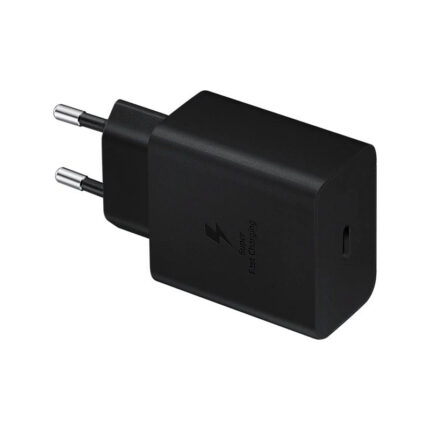
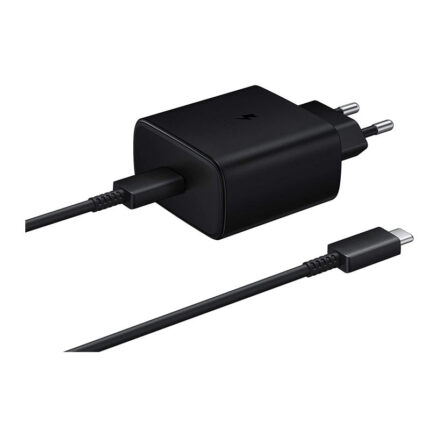
Recommended Products

৳ 2,850.00
৳ 1,800.00
 Sale
SaleOriginal price was: ৳ 3,500.00.৳ 2,490.00Current price is: ৳ 2,490.00.

Fast Charging and Data Transfer: What to Expect
Not all USB-C cables deliver the same speeds. A fast charging usb c cable review should show both power and data metrics. Many Samsung cables support 25W, 45W, or higher with proper chargers. They enable USB Power Delivery (PD) or Samsung Adaptive Fast Charging on supported phones.
Data transfer usb c cable performance varies too. Basic cables handle USB 2.0 speeds around 480 Mbps. Higher-spec cables reach USB 3.1 or USB 3.2 rates. Those deliver up to several gigabits per second. If you move large files, choose a cable rated for higher data speeds.
- Check the power rating for fast charging cable device needs.
- Choose a cable with USB 3.x if you need fast file transfers.
Samsung USB Cable Review: Build Quality and Features
Samsung usb cable review points often highlight connectors and jacket materials. Many Samsung cables use molded connectors and reinforced strain relief. These parts reduce fraying and breakage at the ends. Some cables use braided nylon for extra protection. Others use flexible PVC to save cost and weight.
Look at the connector finish and plating. Gold or nickel plating helps with corrosion resistance. Tight tolerances reduce wobble and intermittent contacts. Certified cables often include safety features against over-current and over-voltage.
- Molded connectors reduce stress at cable ends
- Braided jackets protect against abrasion
- Proper shielding reduces data errors and interference
Type C Charging Cable Review: Length, Flexibility, and Use
Length impacts convenience and charging speed in small ways. Very long cables may show small voltage drop at high currents. Shorter cables usually offer better charging efficiency. Choose a length that fits your setup. A 1-meter cable suits most desks. A 2-meter cable helps when outlets sit far away.
Flexibility matters for mobile use. Rigid cables tangle and break faster. Soft, flexible jackets bend easily and last longer. Think about where you will use the cable. Keep one short cable for power banks. Keep a longer, more durable cable at your desk.
- Short cables reduce voltage drop for high-current charging
- Longer cables add convenience for distant outlets
- Pick a balanced length for everyday use and portability
Testing and Real-World Performance
Test for charging speed with a compatible charger and device. Use a charger rated for the phone’s fast charging profile. Measure current and voltage if you can. Many power meters show real-time watts. Compare results to the phone maker’s specifications.
For data transfer testing, move a large folder to and from the device. Time the transfer. Use the same port and host computer for consistency. If the cable claims USB 3.1 speeds, test with a device and port that support those speeds. A low-quality cable will slow transfers and cause retries.
- Use matched chargers and devices when testing fast charging usb c cable review
- Test file moves to confirm data transfer usb c cable claims
- Check for heat or connector looseness during tests
Compatibility: Which Devices Work Best?
Samsung USB C Cable works with phones, tablets, chargers, and many laptops. Check your device specs. Some laptops use USB-C for full charging at 45W or 65W. Others need 100W for fast charging. Use a cable rated for required wattage. Low-rated cables may charge slowly or not at all.
For audio and video, ensure the cable supports Alternate Mode if you plan to connect to external displays. Not all USB-C cables carry video signals. Check product specs before you buy.
- Phones and tablets generally accept commonly rated cables
- Laptops may need higher wattage and e-marked cables
- Video output requires cables and devices that support Alternate Mode
How to Choose the Right USB C Cable
First, identify your charging and data needs. Do you need only charging? Do you need fast file transfers? Match the cable’s specs to these needs. Look for power delivery rating, USB version, and build quality. Read samsung usb cable review sources and verified user tests.
Second, check compatibility and certification. Certified cables reduce risk of damage. Look for USB-IF or manufacturer certificates. Avoid ultra-cheap no-name cables when high current is involved.
Third, consider practical features. Braiding, connector finish, and length affect daily use. A detachable or magnetic option may help with convenience, but verify the power rating first. Keep spare cables for travel and car use.
- Match cable power rating to your charger and device
- Confirm USB version for data needs in a type c charging cable review
- Choose durable materials for frequent use
Price vs Value: Is a Branded Cable Worth It?
Branded Samsung cables cost more than generic ones. You pay for tested compatibility and warranty support. Branded cables often last longer. They reduce the risk of device damage. If you rely on fast charging daily, buy a certified cable. For occasional charging, a quality third-party cable may suffice. Read user reviews and third-party test reports before you decide.
- Branded cables suit power-hungry and expensive devices
- Good third-party options can offer value and performance
- Inspect reviews and test reports for real-world performance
Practical Tips and Care for Your Cable
Avoid sharp bends near the connector. Coil cables loosely when storing. Use a cable clip or tie to prevent tangles. Replace a cable at the first sign of fraying. Do not force a connector into a port. Clean connectors gently with a dry brush if dirt builds up. These habits extend cable life and keep devices safe.
- Coil cables loosely to avoid stress
- Keep connectors clean and dry
- Replace worn cables promptly to avoid damage
Frequently Asked Questions
Is a Samsung USB C Cable the best choice for Galaxy phones?
Samsung cables usually offer tested compatibility and safe charging for Galaxy phones. They often support Samsung fast charging profiles when paired with compatible chargers.
Can I use a Samsung cable for laptop charging?
Yes if the cable supports the necessary wattage. Check the cable’s power delivery rating and the laptop’s required wattage before you use it.
Does every USB-C cable support fast charging?
No. Fast charging depends on the cable’s power rating and the charger. Some cables only support USB 2.0 data and low current. Always check the specifications.
How can I tell if a cable supports fast data transfer?
Look for USB 3.0, 3.1, or 3.2 ratings. Product listings and labels usually state the supported USB version and maximum transfer speed.
Are braided cables better?
Braided jackets increase abrasion resistance and reduce tangling. They often last longer, but quality varies. Inspect other features like connector strength and shielding as well.
What should I do if my cable gets hot?
Stop using it and test with another certified cable and charger. Heat can signal a mismatch in power handling or a failing cable. Replace any cable that runs hot under normal use.
Conclusion
Choosing the right Samsung USB C Cable improves charging speed, data transfers, and device safety. Check power ratings, USB versions, and build quality before buying. Use real-world tests and user reviews to confirm performance. Keep care tips in mind to extend cable life. A well-chosen Samsung USB C Cable saves time and reduces frustration with slow charging and poor transfers.