
Samsung Galaxy S24 Ultra S Pen: Ultimate Guide

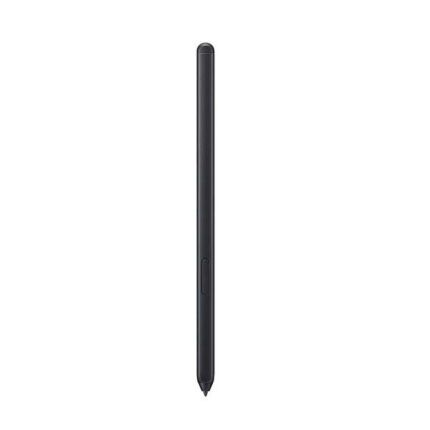
The Samsung Galaxy S24 Ultra S Pen elevates productivity and creativity on Samsung’s flagship. It offers precise input, handy shortcuts, and deeper integration with Samsung software. Whether you sketch, take notes, or control presentations, the S Pen improves the phone experience. This guide covers features, real-world performance, specs, price, and a clear buying guide so you can decide with confidence.
Samsung Galaxy S24 Ultra S Pen features and specs
The S Pen brings a long-standing Samsung tradition to the S24 Ultra. It slots into the phone’s chassis and pairs instantly. Samsung built a responsive stylus into its ecosystem of apps. You get pressure-sensitive strokes, tilt support, and actionable gestures.
- Low-latency input for fluid writing and drawing
- Pressure sensitivity for fine lines and shading
- Air actions and remote camera control via Bluetooth on supported models
- Handwriting-to-text, live translate, and shape correction in Samsung Notes
On specs, Samsung focused on responsiveness and software depth. The S Pen works without batteries in many operations, with Bluetooth features available for remote control. It supports fine-grain input and palm rejection. The phone recognizes contact reliably, so you write naturally.
Recommended Products

৳ 3,499.00

৳ 3,394.00

৳ 3,290.00
Samsung Galaxy S24 Ultra S Pen review: real-world use
I tested the S Pen across daily tasks and creative sessions. I used it for note-taking, photo editing, drawing, and remote camera triggers. The overall experience felt polished. The pen lands precise strokes and stays consistent across apps.
Note-taking felt faster than typing in several scenarios. I could jot ideas during meetings and convert handwriting to editable text quickly. Samsung Notes handled mixed media well. I added photos, annotations, and clipped web content with minimal friction.
- Sketching: Smooth curves and clean pressure response
- Editing: Precise selections in photo apps and refined retouching
- Navigation: Quick shortcuts accelerate multi-tasking
Battery-free input works for drawing and writing. When you use remote features, Bluetooth consumes a small amount of power in the S Pen and phone. The remote functions stay useful for camera control and presentations. Overall, the S Pen increased my task speed and creative control.
Samsung Galaxy S24 Ultra S Pen price and buying guide
Samsung typically includes the S Pen with the Ultra model. That means you usually do not pay extra for the basic stylus when you buy the phone. If you seek advanced features, Samsung sells enhanced S Pen accessories separately. These may add Bluetooth controls, rechargeable batteries, and custom tips.
When evaluating price, consider your use. If you only take occasional notes, the included S Pen will suffice. If you draw professionally or need extensive remote features, invest in premium S Pen models and compatible accessories. Third-party options often offer budget-friendly alternatives, but quality varies.
- Buy the phone with the included S Pen for general use
- Choose a premium S Pen Pro if you need extra Bluetooth functions
- Look for official docks or cases that store the S Pen securely
Check retailer bundles and trade-in deals to lower the effective cost. Retailers sometimes include cases, chargers, or trade-in credits. Those offers improve value more than purchasing add-ons separately.
Best Samsung Galaxy S24 Ultra S Pen tips for productivity
Get more from the S Pen with small workflow changes. Customize Air actions to match the apps you use. Set gesture shortcuts to open your favorite apps. Use Samsung Notes templates to structure meeting notes or study materials.
- Create custom gestures for camera and media functions
- Use handwriting-to-text after meetings to speed editing
- Save frequent snippets in Samsung Notes for quick reuse
- Sync notes across devices with your Samsung account
Practice with the pen tip. Try different pressure levels and tilt variations. Artists should test stroke curves and brush settings in drawing apps. Business users should set up quick responses and clipboard templates. A little setup time delivers larger productivity gains.
Samsung Galaxy S24 Ultra S Pen specs you need to know
Focus on compatibility and practical capabilities. The S Pen offers accurate contact detection and supports tilt and pressure sensitivity for natural drawing. The phone’s software converts handwriting and supports advanced editing. Bluetooth features allow the pen to act as a remote in select apps.
- Integrated storage slot in the phone for secure carry
- Pressure-sensitive tip for nuanced strokes
- Tilt support for shading and dynamic brush control
- Remote functions for camera and presentation control
When you compare specs, prioritize what matches your workflow. If you sketch extensively, test drawing latency and pressure response. If you present often, confirm remote functions work with your apps. Specs on paper matter, but real-world comfort matters more.
Choosing the best Samsung Galaxy S24 Ultra S Pen and accessories
Pick accessories that match your habits. A protective case with an S Pen slot prevents loss. Replacement tips can restore a worn nib. Consider a magnetic sleeve if you switch phones often. For heavy artists, look for extra nibs and tip styles.
- Official Samsung cases with S Pen docking for secure storage
- Replacement nib kits to maintain drawing precision
- Screen protectors compatible with stylus use to avoid drag
- Bluetooth S Pen Pro for extended remote control features
Balance cost and value. Official accessories cost more, but they usually match fit and function. Third-party options can reduce price. Read reviews and confirm return policies to avoid poor fit or wear issues.
Frequently Asked Questions
Does the Samsung Galaxy S24 Ultra S Pen come included?
The S Pen commonly ships with the S24 Ultra. You receive the basic stylus with the phone, allowing immediate use for notes, sketches, and navigation.
Can I use a different S Pen with the S24 Ultra?
Many compatible S Pen models work with the S24 Ultra. Ensure the pen supports your needed features, like Bluetooth or tilt support, before buying a third-party option.
What is the difference between the included S Pen and S Pen Pro?
The included S Pen covers core functions like drawing and handwriting. The S Pen Pro adds extras such as enhanced Bluetooth controls and rechargeable batteries for more remote features.
How do I maintain S Pen performance?
Replace worn nibs, keep the pen and slot clean, and avoid dropping the stylus. Use screen protectors designed for stylus use to prevent extra drag and nib wear.
Is the S Pen good for professional drawing?
Yes. The S Pen delivers precise input and pressure sensitivity. For professional workflows, pair the pen with a robust drawing app and test brushes to match your style.
Conclusion
The Samsung Galaxy S24 Ultra S Pen enhances both productivity and creativity. It integrates seamlessly, performs reliably, and supports a wide range of tasks. Use the included pen for everyday notes and sketching. Upgrade to premium models if you need advanced remote or pro features. Follow the buying guide above to find the best samsung galaxy s24 ultra s pen option for your needs and budget.