
OLAX MF980L 150Mbps Pocket Router with Sim Slot

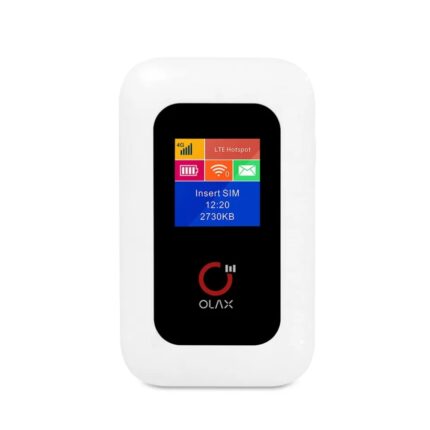
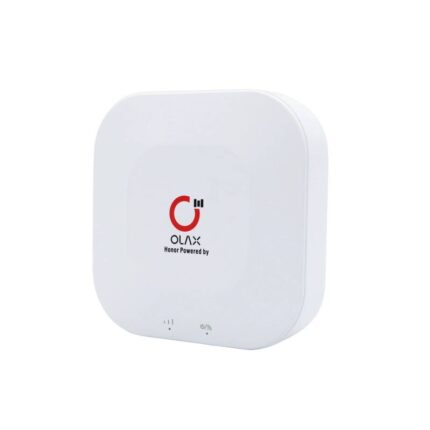
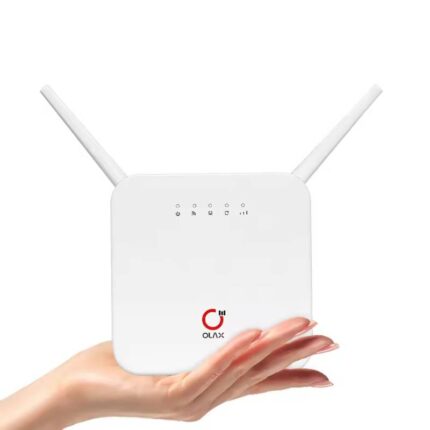
The OLAX MF980L 150Mbps Pocket Router with Sim Slot gives portable internet a simple, reliable face. If you travel, work remotely, or need a backup connection, this pocket router fits a pocket and runs off a SIM card. It combines basic 4G LTE connectivity with easy setup and decent battery life. This article covers features, specs, price, review insights, and a practical buying guide to help you decide.
OLAX MF980L 150Mbps Pocket Router with Sim Slot — Key Features
The OLAX MF980L focuses on compact convenience. It supports up to 150Mbps downlink on compatible networks, a physical SIM slot, and a simple web interface for setup. The router uses standard encryption and can support multiple devices at once. Here are the main features that most buyers ask about.
- Compact pocket-sized design for travel and daily carry
- 4G LTE support with up to 150Mbps download speed
- Dedicated SIM slot for mobile data plans
- Wi‑Fi 802.11b/g/n support for up to 10–15 devices
- Rechargeable battery for several hours of use
- Simple setup via web UI and basic security settings
Recommended Products

OLAX MF980L 150Mbps Pocket Router with Sim Slot specs
Below are the technical specs that define what the OLAX MF980L delivers. Review these to confirm carrier compatibility and to match the device to your needs.
- Network: 4G LTE / 3G fallback
- Max Download Speed: 150Mbps (theoretical)
- Wi‑Fi Standards: 802.11b/g/n (2.4 GHz)
- SIM Slot: Nano SIM / Micro SIM compatibility depending on adapter
- Battery: Typical 1500–2000 mAh (varies by batch) with 6–10 hours mixed usage
- Ethernet: Some versions include a single WAN/LAN port
- Security: WPA/WPA2, basic firewall, APN configuration
- Size & Weight: Pocket-friendly, under 100 g
Performance and real-world review
In everyday use, the OLAX MF980L 150Mbps Pocket Router with Sim Slot delivers reliable connectivity within its class. You should expect different results depending on carrier, signal strength, and network congestion. Testing in urban areas with strong LTE yields close to the device’s theoretical speeds; rural or weak-signal zones reduce throughput significantly.
Users typically connect smartphones, tablets, and laptops. The router handles light streaming, browsing, video calls, and file transfers well. It struggles when too many devices demand high-bandwidth tasks at once. For example, two users streaming HD video and another running large uploads can push it beyond comfortable limits.
- Speed: Up to 150Mbps downlink under ideal conditions
- Latency: Suitable for video calls and light gaming in good coverage
- Device load: Best for 5–10 active devices with moderate use
- Battery life: Typically 6–8 hours of mixed use; intensive use reduces runtime
OLAX MF980L 150Mbps Pocket Router with Sim Slot price and where to buy
Price varies by region and retailer. Expect a budget-friendly price point that undercuts premium mobile hotspots. The OLAX MF980L 150Mbps Pocket Router with Sim Slot price typically falls in the low to mid-range for pocket routers. Seasonal sales and bundled SIM offers can change the final cost.
Buyers should compare official retailers, marketplaces, and local electronics stores. Check for warranty and return policies. Buying from authorized sellers ensures firmware updates and better customer support. If cost is a priority, look for refurbished units from reputable sellers and read condition notes carefully.
- New retail price: generally budget-friendly
- Refurbished or open-box: lower price but verify condition
- Carrier bundles: sometimes include data plans or discounts
- Authorized sellers: recommended for warranty coverage
Battery, build quality, and portability
The OLAX MF980L targets users who need portability. Its build feels lightweight and durable enough for daily travel. The battery size supports several hours of streaming or full workdays with moderate use. You can extend runtime by reducing screen brightness and limiting connected devices.
Replacement batteries and external power support vary by model and market. If you plan long trips, carry a small power bank. The device charges via micro-USB or USB-C depending on the production batch; check the product listing for the correct port.
Setup, compatibility, and SIM details
Setup takes minutes. Insert a supported SIM, power on, and visit the configuration page. You will enter the APN settings provided by your carrier. The web UI gives options for SSID, password, and security modes.
Compatibility depends on LTE bands. Confirm the OLAX MF980L 150Mbps Pocket Router with Sim Slot supports the LTE bands used by your carrier. Without matching bands, the router may fall back to 3G or fail to connect. Dual-band Wi‑Fi is not standard on this model, so expect 2.4 GHz only.
- Insert SIM and enter APN for first-time setup
- Confirm LTE bands with your carrier before purchase
- Use WPA2 encryption and a strong password for security
Best uses and who should buy it
This pocket router suits travelers, remote workers, and users needing temporary or backup internet away from wired connections. Small businesses can use it for point-of-sale terminals or short-term events. Home users relying on a single, high-demand connection may prefer a more powerful gateway.
- Travelers who need fast setup and a compact device
- Remote workers needing a reliable backup connection
- Students and digital nomads on the move
- Occasional users who value portability over advanced features
OLAX MF980L 150Mbps Pocket Router with Sim Slot buying guide
Follow a short checklist to pick the best OLAX MF980L 150Mbps Pocket Router with Sim Slot for your needs. This guide helps you avoid common pitfalls and match features to real requirements.
- Check LTE band support: Verify compatibility with your carrier’s bands.
- Assess battery life: Choose a model or bundle with higher mAh if you need long runtime.
- Confirm SIM size: Ensure the device accepts your SIM or that you have an adapter.
- Look for firmware updates: Updated firmware fixes bugs and improves stability.
- Compare speeds: Real-world speeds depend on carrier and location, not just the 150Mbps rating.
- Warranty and returns: Buy from sellers with clear return policies.
Frequently Asked Questions
What is the real speed of the OLAX MF980L 150Mbps Pocket Router with Sim Slot?
The 150Mbps rating is theoretical. Real speeds depend on carrier coverage, congestion, and signal strength. In strong LTE areas you may see speeds close to the rating.
Does the OLAX MF980L work with all carriers?
It works with carriers that use supported LTE bands. Check your carrier’s band list against the router’s specs before buying to ensure compatibility.
How long does the battery last on a single charge?
Typical battery life is 6–8 hours of mixed use. Heavy streaming and multiple active devices reduce runtime. A power bank can extend usage for long trips.
Can multiple users stream video at the same time?
Yes, for light to moderate usage. Expect comfortable performance with a few users, but heavy simultaneous HD streams will strain the router and reduce quality.
Conclusion
The OLAX MF980L 150Mbps Pocket Router with Sim Slot offers a balanced mix of portability, simplicity, and reliable mobile connectivity. It fits travelers and remote workers who need straightforward setup and steady speeds on compatible networks. Check specs, battery life, and carrier bands to pick the best olax mf980l 150mbps pocket router with sim slot for your needs. With the right plan and placement, this pocket router makes mobile internet simple and effective.