
Logitech C270 HD Webcam Review & Buying Guide

The Logitech C270 HD Webcam delivers solid video quality for a low price. This affordable camera suits remote work, online classes, and casual streaming. If you need an easy-to-use webcam that simply works, the Logitech C270 HD Webcam deserves attention. In this review and buying guide, I cover specs, features, pricing, setup tips, and who should buy it.
Logitech C270 HD Webcam Review: Quick Overview
The C270 records 720p video at 30 frames per second. It has autofocus, a built-in noise-reducing microphone, and a universal clip for monitors and laptops. Logitech designed it for plug-and-play use on Windows and many older macOS versions. The image quality is better than most integrated laptop cameras. Low-light performance remains average, but a simple desk lamp fixes most issues.
- 720p HD video at 30 fps
- Built-in mono microphone with noise reduction
- Universal clip and tripod thread
- USB-A plug-and-play connection
Recommended Products
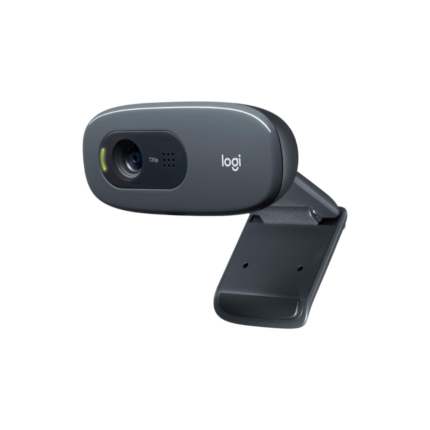
৳ 2,295.00
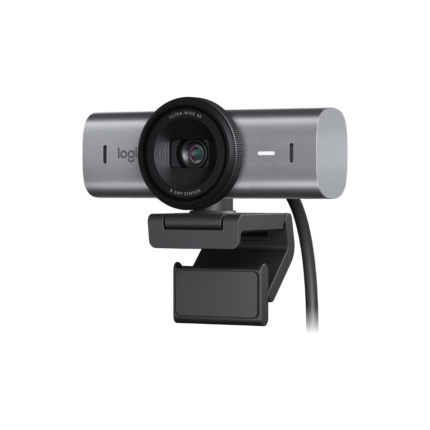
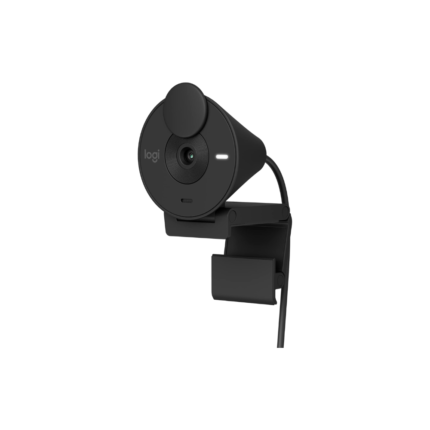
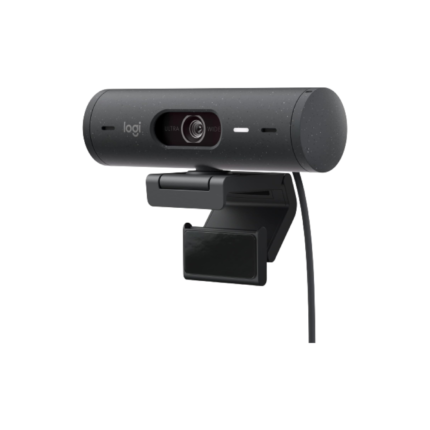
Logitech C270 HD Webcam Features
This section breaks down the core Logitech C270 HD Webcam features so you can decide fast. Each feature adds practical value for everyday use.
- Video Resolution: 720p HD for clear video calls and recordings.
- Autofocus: Keeps faces reasonably sharp during movement.
- Noise-Reducing Microphone: Captures clear voice with less ambient noise.
- Compatibility: Works with common apps like Zoom, Skype, and Microsoft Teams.
- Mounting Options: Clip for monitors and a tripod thread for flexible placement.
Logitech C270 HD Webcam Specs
Here are the key Logitech C270 HD Webcam specs in plain terms. Review these to match the camera to your needs.
- Video format: 720p at 30 fps
- Lens: Fixed wide-angle with digital correction
- Microphone: Mono with noise reduction
- Connectivity: USB-A, plug-and-play
- Operating systems: Windows 7 and newer, some macOS support
- Dimensions and weight: Lightweight and compact
Logitech C270 HD Webcam Price and Value
The Logitech C270 HD Webcam price stays low compared with higher-end models. Retail prices vary by region and retailer. Expect budget pricing that makes this webcam a value buy for basic needs. If you want full HD 1080p or advanced low-light sensors, you will pay more for those upgrades. For standard video calls, the C270 offers the best balance of price and performance.
- Best value for everyday video calls
- Lower cost than full-HD webcams
- Good choice for students and remote workers
Best Use Cases for the Logitech C270 HD Webcam
Knowing where this camera works best helps you decide quickly. The C270 performs well in several common scenarios.
- Remote work meetings and video conferences
- Online classes and virtual tutoring
- Casual streaming and vlogging on a budget
- Backup webcam for occasional use
Logitech C270 HD Webcam Buying Guide
Use this buying guide to check compatibility and to avoid surprises. Follow these practical checks before you buy a Logitech C270 HD Webcam.
- Confirm USB-A availability on your computer. The camera uses USB-A; adapters work for USB-C ports but test first.
- Check your operating system. Windows support is best. macOS support is limited on older drivers.
- Assess lighting in your workspace. Add a soft desk lamp for better image quality in dim rooms.
- Consider audio needs. For group calls or high-quality audio, pair the camera with a dedicated microphone or headset.
- Compare alternatives if you need 1080p video or a wide field of view.
Setup and Practical Tips for Better Video
Set up the Logitech C270 HD Webcam in minutes. The camera requires no complex drivers for most systems. Plug the USB-A connector into your PC and select the webcam in your app settings. Use these tips to improve your image and audio.
- Position the camera at eye level for natural framing.
- Use soft front lighting to reduce shadows and improve color.
- Mute other microphones to prevent feedback or echo.
- Adjust app settings to 720p if bandwidth or CPU limits exist.
- Test audio and video before important calls to ensure clarity.
Comparison: Logitech C270 vs Higher-End Models
The Logitech C270 HD Webcam competes with many low-cost webcams. Compared to 1080p models, it uses less bandwidth and CPU. It lacks advanced features like background replacement, HDR, or dual microphones. If you need professional streaming or higher resolution, consider upgrading. If cost, simplicity, and reliability matter most, the C270 is a clear pick.
- Pros over pricier models: Lower cost, lower resource use, simpler setup
- Cons vs pricier models: Lower resolution, basic microphone, average low-light performance
Best Logitech C270 HD Webcam Accessories
Adding small accessories improves the user experience. These items extend the webcam’s capabilities without large expense.
- External ring light for consistent illumination
- USB extension cable to position the camera freely
- Tripod for flexible placement and stable framing
- External microphone or headset for improved audio
Who Should Buy the Logitech C270 HD Webcam?
Choose the C270 if you need a dependable budget webcam that requires minimal setup. It serves casual streamers, teachers, students, and remote workers. Avoid it if you need 1080p capture for high-quality streaming, professional content creation, or advanced camera features. For those use cases, invest in a higher-tier model.
- Recommended for users seeking affordability and ease
- Not recommended for professional streamers or videographers
Performance Summary and Real-World Examples
Real users report consistent performance during video calls. In quiet rooms, the mono microphone captures voice clearly. With simple lighting, the 720p image looks sharp enough for most business and school calls. For example, a teacher can pair the C270 with a desk lamp and host clear lessons without extra hardware. A remote worker can join long meetings without bandwidth strain. These practical uses show why many buyers choose this model.
Frequently Asked Questions
Is the Logitech C270 HD Webcam compatible with Zoom and Teams?
The camera works with Zoom, Microsoft Teams, Skype, and most video apps. Select it in the app’s camera settings after plugging it in.
Does the Logitech C270 support 1080p?
No. The C270 captures up to 720p at 30 fps. If you need 1080p, consider models like the Logitech C920 or C922.
How is the microphone quality on the Logitech C270?
The built-in mono microphone reduces background noise well for basic calls. For group calls or higher audio clarity, use a dedicated microphone or headset.
Can I use the Logitech C270 on a laptop with USB-C?
Yes. Use a reliable USB-C to USB-A adapter or hub. Test compatibility before important calls to avoid driver issues.
Does the camera have a privacy cover?
No. The C270 does not include an integrated privacy shutter. Consider a small clip-on cover if you want guaranteed privacy when not in use.
Conclusion
The Logitech C270 HD Webcam offers reliable 720p video, easy plug-and-play setup, and good value for everyday use. It fits students, remote workers, and casual streamers who prioritize affordability and simplicity. If you need better low-light performance or 1080p video, look at higher-end alternatives. Overall, the Logitech C270 HD Webcam remains a practical, budget-friendly choice that performs well for typical video calls and meetings.