
Logitech B175 Wireless Mouse Review & Buying Guide

The Logitech B175 Wireless Mouse delivers simple, reliable pointing at an affordable price. Whether you need a backup mouse for travel, a basic office option, or a classroom device, the B175 fits many uses. This guide covers the Logitech B175 Wireless Mouse in detail so you can decide if it matches your needs. Expect clear specs, hands-on performance notes, pricing guidance, and buying tips.
Logitech B175 Wireless Mouse: Quick Overview
The Logitech B175 Wireless Mouse focuses on ease of use and long battery life. It connects via a tiny USB receiver and works on most laptops and desktops. Its compact, ambidextrous design suits left- and right-handed users. Logitech positions the B175 as an entry-level wireless mouse that prioritizes value.
- Plug-and-play USB nano receiver
- Ambidextrous shape for comfort
- Long battery life (up to 12 months)
- Reliable 2.4 GHz wireless connection
Recommended Products
৳ 765.00
৳ 785.00

৳ 1,100.00

logitech b175 wireless mouse features and build quality
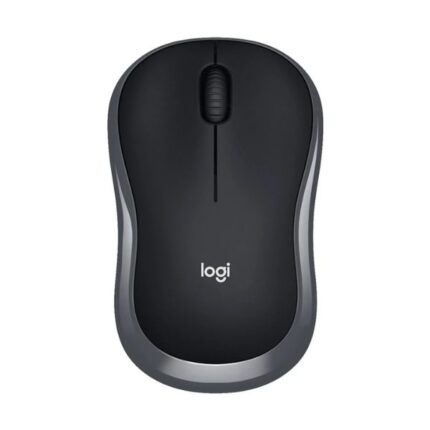
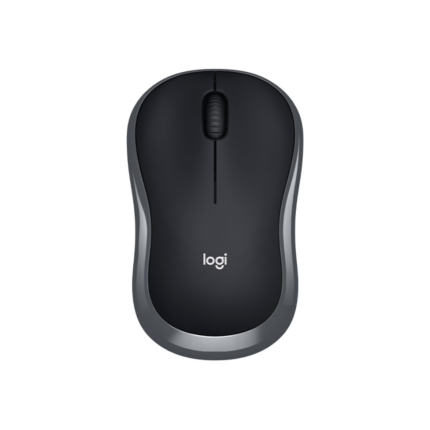
The B175 focuses on core functionality without extras. It lacks programmable buttons and RGB lighting. Instead, it offers a sturdy scroll wheel, left and right buttons, and a durable plastic shell. The scroll wheel gives tactile feedback, and the buttons click confidently. Build quality meets expectations for a budget model; the shell resists daily wear without feeling cheap.
- Simple three-button layout plus scroll wheel
- Compact, lightweight construction
- Durable matte finish for grip
- Power switch and battery compartment on the underside
logitech b175 wireless mouse specs
Knowing the specs helps you match the mouse to tasks. The Logitech B175 Wireless Mouse uses an optical sensor tuned for typical office and web tasks. It tracks smoothly on most non-glass surfaces. Logitech publishes modest DPI that suits general use rather than high-speed gaming.
- Connection: 2.4 GHz wireless via nano USB receiver
- Sensing: Optical tracking; suitable for 1000–1600 DPI range
- Battery: Single AA battery; up to 12 months of life
- Compatibility: Windows, macOS, Chrome OS, Linux (plug-and-play)
- Dimensions: Compact profile for portability
logitech b175 wireless mouse review: Performance & Comfort
In real-world use, the B175 performs as expected for a basic mouse. Scrolling and pointing feel consistent for office work. The sensor tracks accurately during document editing and web browsing. Users who switch quickly between high-speed movements may notice limits, but the B175 handles everyday tasks without fuss.
Comfort remains a highlight. The ambidextrous shape sits naturally under most hands. Lightweight construction reduces fatigue during long sessions. The only ergonomic limitation is the lack of side grips or thumb rests, which some users prefer for extended use. For moderate daily use, the B175 proves comfortable and practical.
logitech b175 wireless mouse price and value
Price remains the B175’s strongest selling point. Retail cost typically sits in the budget range, making it one of the best choices for cost-conscious buyers. Prices vary by region and retailer. You can often find discounts when retailers bundle the mouse with a keyboard or during sales events. For basic use, the B175 delivers excellent value compared with more expensive models that add features many users never use.
- Low upfront cost compared to feature-rich mice
- Minimal ongoing costs thanks to long battery life
- Good warranty and Logitech support in most markets
Who should buy the Logitech B175 Wireless Mouse?
Choose the B175 if you need a reliable, no-frills mouse for everyday tasks. It suits students, office workers, remote employees, and anyone seeking a compact spare mouse. The B175 also works well in shared environments like classrooms and meeting rooms. Avoid it if you require customizable buttons, high DPI for gaming, or advanced ergonomic shaping.
- Best for web browsing, office suites, and light multitasking
- Ideal as a travel or secondary mouse
- Not ideal for competitive gaming or intensive graphic design
Comparisons: best logitech b175 wireless mouse alternatives
If you consider upgrades, compare the B175 to other Logitech models. The Logitech M185 and M325 add slightly refined ergonomics and scroll wheel behavior. The Logitech M510 includes extra buttons and a fuller ergonomic shape. If budget and simplicity rule your decision, the B175 often stands as the best Logitech B175 Wireless Mouse option for value. If you need more features, evaluate alternatives based on button count, DPI, and hand comfort.
logitech b175 wireless mouse buying guide
Use this quick buying checklist to match the B175 to your needs. First, confirm you need a basic mouse without programmable buttons. Second, check compatibility with your operating system and available USB ports. Third, consider your hand size and whether the compact shape will feel comfortable. Finally, compare current prices and warranty terms from trusted retailers.
- Confirm USB-A port availability for the nano receiver
- Check battery replacement ease and expected lifespan
- Test hand fit if possible—compact design suits smaller hands
- Look for bundled deals with keyboards or other peripherals
Frequently Asked Questions
Is the Logitech B175 Wireless Mouse compatible with macOS?
The B175 uses a plug-and-play USB receiver and works with macOS for basic pointing and clicking. No driver installation is typically required.
How long does the battery last in the B175?
Logitech rates battery life up to 12 months with typical office use on a single AA battery. Actual life depends on usage patterns.
Can I use the B175 for gaming?
The B175 handles casual gaming but lacks high DPI and programmable buttons for competitive play. Choose a gaming-specific mouse for fast-paced titles.
What surfaces work best with the B175?
The optical sensor performs well on wood, plastic, and cloth mouse pads. Avoid using it on glass surfaces without a proper mat.
Does the B175 include Bluetooth?
No. The B175 connects via a 2.4 GHz USB nano receiver. It does not support Bluetooth pairing.
How do I pair the nano receiver?
Pairing is automatic. Plug the receiver into a USB port and switch the mouse on. The connection establishes within seconds.
Maintenance and troubleshooting tips
Keep the B175 working smoothly with a few simple steps. Replace the AA battery when tracking weakens or clicks become sluggish. Clean the optical sensor gently with compressed air if cursor movement feels jumpy. Store the nano receiver safely when transporting a laptop; some models include a receiver slot inside the battery compartment for storage. If the mouse stops responding, try re-plugging the receiver into a different USB port and toggling power on the mouse.
- Replace the battery annually or sooner with intensive use
- Use a mouse pad for consistent tracking
- Store the receiver in the battery compartment during travel
Final buying tips and where to find the best deals
To get the best price, compare listings across major retailers and official Logitech channels. Check refurbished or open-box units for lower prices if you accept limited warranty differences. Read user reviews to spot recurring issues and confirm reliability. If you buy for a business or classroom, ask about volume discounts or bulk warranty options.
- Watch sales events for deeper discounts
- Verify return policies before purchase
- Consider retailer bundles for added value
Conclusion
The Logitech B175 Wireless Mouse provides dependable, no-frills performance at a budget-friendly price. It excels for everyday office work, web browsing, and travel use where simplicity and long battery life matter. If you prioritize advanced features or gaming performance, consider a different model. For a straightforward, affordable pointing device, the Logitech B175 Wireless Mouse remains a strong, practical choice.