
Xiaomi 70mai Dash Camera: Complete Review & Guide

The Xiaomi 70mai Dash Camera delivers a compelling mix of price, features, and reliable footage. If you want clear day and night recordings and easy setup, this model deserves serious consideration. In this dash camera review, we’ll walk through core specs, installation steps, real-world performance, and whether it fits your needs as a vehicle security dash camera or daily driving recorder.
Xiaomi 70mai Dash Camera: Key Features
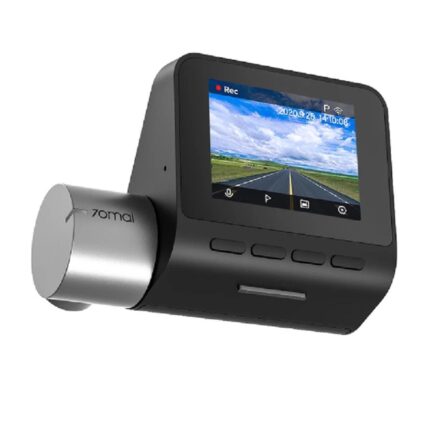
The 70mai focuses on essentials: solid video quality, compact design, and a user-friendly app. It records crisp footage, supports loop recording, and offers a parking monitor on select models. Many users appreciate the low-profile mount and automatic incident saving.
- Video resolution up to 1944p or 2K on higher models
- Built-in Wi-Fi for quick downloads to your phone
- G-sensor to lock files during impact
- Optional GPS module on some packages for speed and route logging
- Loop recording and microSD support up to 64GB or 128GB depending on firmware
Recommended Products

Performance and Video Quality — Driving Recorder Camera Review
The Xiaomi 70mai captures clean daytime footage with accurate colors and good detail. It reduces glare effectively on wide-angle shots. Night performance depends on the sensor and the specific model you buy. Higher-end variants handle low light better and show clearer license plates at moderate distances.
When evaluating a driving recorder camera review, consider codec efficiency and bitrate. The 70mai strikes a balance between file size and clarity. Expect reliable clips for insurance claims or traffic disputes.
Is It a Good Vehicle Security Dash Camera?
Yes, it can serve well as a vehicle security dash camera. The 70mai’s G-sensor secures recordings when it detects sudden motion. Parking mode on compatible models watches for impact while you’re away. For continuous parking surveillance, pair the camera with a hardwire kit or a dedicated battery pack.
- G-sensor locks footage automatically after collisions
- Parking mode records events when the car is off (requires power supply)
- App notifications available when the camera detects an incident via Wi-Fi models
Car Dash Cam with GPS: Mapping and Speed Data
Models that include or support a GPS module add location and speed overlay to your footage. That feature helps document the vehicle’s path during an incident. If you need route evidence, select a Xiaomi 70mai model marketed with GPS. Otherwise, you can buy an optional GPS accessory for certain versions.
For rideshare drivers or fleets, GPS-enabled footage improves accountability and simplifies incident review.
4K Car Dash Cam Review: How Does the 70mai Compare?
The Xiaomi 70mai typically offers up to 2K or 1944p on later models. While it doesn’t hit true 4K on standard variants, it competes well with many 4k car dash cam review contenders in clarity per dollar. If you prioritize ultra-high resolution for fine detail at long distances, consider a dedicated 4K dash cam. However, the 70mai provides excellent value for most daily drivers.
- 2K/1944p at a more affordable price than many 4K models
- Smaller file sizes make storage easier
- Better night performance can matter more than raw resolution
Installation and Setup: Quick Steps for the Car Driving Recording Camera
Installation takes 15–30 minutes for most drivers. The camera mounts to the windshield near the rearview mirror. Route the power cable along the headliner and tuck it into the A-pillar. Plug it into a 12V socket or hardwire to the fuse box for parking mode.
- Choose a mounting spot that doesn’t obstruct vision
- Format the microSD card in the camera before first use
- Pair the camera with the Xiaomi app using Wi-Fi for settings and firmware updates
For hardwiring, use a fuse tap and a low-voltage cutoff hardwire kit. That setup protects your car battery while keeping parking mode active.
Software and App Experience
The Xiaomi app simplifies setup and playback. You can adjust resolution, loop length, exposure, and G-sensor sensitivity from your phone. The app also downloads clips over Wi-Fi so you don’t need a card reader. Firmware updates arrive through the app, improving stability and adding features.
App reliability varies by phone model. Test the Wi-Fi link before relying on it for quick evidence retrieval.
Storage, File Management, and Maintenance
The 70mai supports microSD cards. Use a high-endurance card rated for continuous recording. Format the card inside the camera monthly for consistent performance. Manage loop length to avoid excessive overwrites. The G-sensor automatically protects critical clips from deletion.
- Recommended: 32GB–128GB high-endurance microSD
- Format in-camera to prevent file corruption
- Replace cards every 12–24 months in heavy-use scenarios
Real-World Use Cases and Examples
Example 1: Insurance claim — A user captured a clear daytime collision. The G-sensor locked the file automatically. The app transferred the clip to the phone for quick sharing with the insurer.
Example 2: Nighttime incident — Another driver recorded a hit-and-run. The footage provided partial plate information and direction of travel. While not immaculate like some 4K models, the video gave enough evidence for police follow-up.
Pros and Cons at a Glance
- Pros: Affordable, compact, easy app pairing, reliable daytime clarity
- Cons: Not true 4K on base models, app performance varies, parking mode needs hardwiring or accessory
Buying Tips: Choose the Right Xiaomi 70mai Model
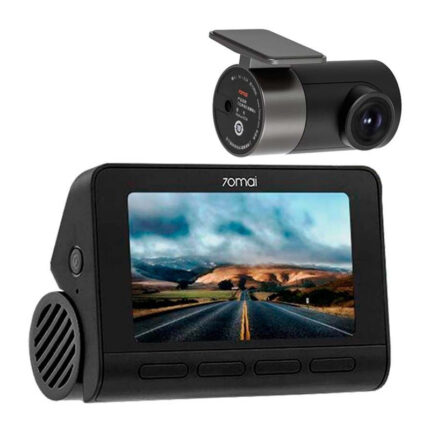
Select your model based on priorities. Pick a GPS-equipped variant if you need route logs. Choose higher-resolution or starvis sensor versions for better night footage. Confirm whether the package includes GPS, hardwire kit, or rear camera if you require dual-channel recording.
- For daily commuters: base 70mai model is often sufficient
- For security-focused drivers: get parking mode and a hardwire kit
- For high-detail needs: consider higher-resolution or a dedicated 4K car dash cam
Frequently Asked Questions
Does the Xiaomi 70mai Dash Camera include GPS?
The base camera does not always include GPS. Some packages include a GPS module, and certain models support an optional GPS accessory to log speed and location.
How do I install and power the camera for parking mode?
Mount it behind the rearview mirror and route the cable along the headliner. For parking mode, use a hardwire kit connected to the fuse box or an external battery pack so the camera remains powered without draining the main battery.
Conclusion
The Xiaomi 70mai Dash Camera balances value and performance for most drivers. It records dependable daytime footage, supports useful safety features, and pairs with a smartphone app for convenient clip management. If you need an affordable car driving recording camera or a reliable vehicle security dash camera, the 70mai is a practical pick. Choose the variant with GPS or higher sensor performance if your priorities include route logging or improved night clarity.