
WiWU WM101 Wimice Wireless Mouse — Full Review

The WiWU WM101 Wimice Wireless Mouse delivers a compact, travel-friendly option for everyday computing. This guide gives a close look at the design, performance, and real-world use of the WiWU WM101 Wimice Wireless Mouse so you can decide if it fits your needs. I cover features, specs, price considerations, and actionable buying tips to help you make a confident purchase.
WiWU WM101 Wimice Wireless Mouse: Overview
The WiWU WM101 Wimice Wireless Mouse targets users who want a reliable, no-fuss pointing device for work, school, and travel. It aims to balance portability with solid tracking and battery life. If you need a simple wireless mouse with plug-and-play ease, this model often appears as an affordable option.
- Compact size ideal for travel
- Plug-and-play USB nano receiver
- Energy-saving sleep mode to extend battery life
Recommended Products
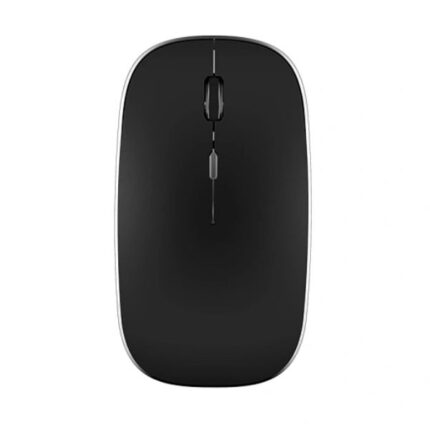

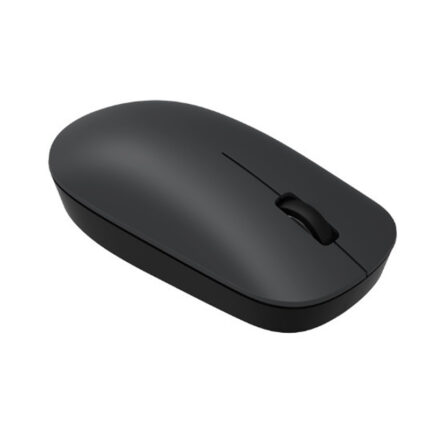
৳ 710.00
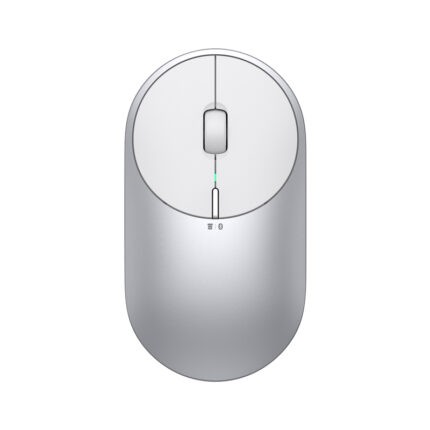
৳ 1,590.00
Design and Build: Comfortable and Portable
The WM101 emphasizes a slim profile and lightweight build. It fits easily in a laptop bag or a coat pocket. The plastic shell feels sturdy for the price. Buttons click with a definite but soft feedback.
- Ambidextrous shape suits left- and right-handed users
- Textured sides improve grip during longer use
- Minimal RGB or glossy elements keeps the look professional
If you travel often, the low weight makes this mouse a sensible carry choice. If you prefer large ergonomic mice, test the size first. Small mice feel different during extended sessions.
Performance and Tracking (wiwu wm101 wimice wireless mouse specs)
Performance matters most for daily tasks. The WiWU WM101 delivers reliable cursor movement for browsing, editing documents, and light creative work. It uses a standard optical sensor that tracks well on most surfaces. Expect accurate pointer control for productivity tasks.
- Sensor provides stable tracking on non-glossy surfaces
- Common DPI settings such as 800/1200/1600 help balance speed and precision
- Low latency for general use with no perceptible lag
Manufacturers list the wiwu wm101 wimice wireless mouse specs in product pages. Check the official listing for exact DPI ranges, button count, and battery type. If you need ultra-high DPI for gaming, consider a dedicated gaming mouse instead.
Battery Life and Connectivity
The mouse operates over a 2.4GHz wireless connection through a USB nano receiver. The receiver offers plug-and-play convenience and a stable link up to roughly 8–10 meters. Most users will see dependable connections across a desk and in small meeting rooms.
- USB nano receiver stores easily in a laptop bag
- Automatic sleep mode helps extend battery life
- Typical battery life spans weeks to months depending on use
To conserve battery, turn the mouse off when not in use or enable sleep when idle. Replace alkaline batteries with quality brands for consistent power. Some buyers choose rechargeable AA cells to reduce waste and long-term cost.
Buttons, Scroll Wheel, and Usability (wiwu wm101 wimice wireless mouse features)
The WiWU WM101 includes standard left and right buttons and a clickable scroll wheel. Some models add a DPI toggle button. The scroll wheel offers smooth scrolling and solid tactile steps for precise navigation.
- Responsive left/right buttons for daily click tasks
- Scroll wheel supports smooth page navigation
- Optional DPI button lets you switch pointer speed on the fly
These wiwu wm101 wimice wireless mouse features make it a functional pick for office workers and students. If you need programmable buttons or software customization, confirm the model supports those features before buying.
Value and Price Considerations (wiwu wm101 wimice wireless mouse price)
The WiWU WM101 typically falls into the budget category. Retail prices vary by region and seller. Expect a range that competes with other entry-level wireless mice. Shop around and compare warranties and shipping to get the best deal.
- Compare authorized retailers and reputable marketplaces
- Look for bundled offers with laptop accessories to save
- Check return policies to ensure a smooth exchange if needed
For an accurate wiwu wm101 wimice wireless mouse price, visit official stores and authorized resellers. Watch for seasonal sales to secure a better price. If you plan heavy daily use, invest in a model with a proven track record even if it costs slightly more.
Who Should Buy the WiWU WM101?
Choose this mouse if you need a budget-friendly, portable pointer with reliable everyday performance. It suits students, remote workers, and travelers who value simplicity. Avoid it if you require advanced macro programming or very high DPI for competitive gaming.
- Best for basic office tasks and browsing
- Great as a travel spare for laptops
- Not ideal for professional gamers or designers who need advanced features
How to Get the Best Experience: Practical Tips
Follow these steps to maximize satisfaction with your WiWU WM101 Wimice Wireless Mouse:
- Use a quality mousepad to improve tracking on reflective desks
- Set your operating system pointer speed to match your comfort
- Replace batteries proactively before performance dips
- Store the USB receiver with your laptop to avoid loss during travel
These small actions will improve responsiveness and extend the mouse’s useful life.
Comparison and Alternatives (best wiwu wm101 wimice wireless mouse)
If you look for the best wiwu wm101 wimice wireless mouse for your needs, compare it against similar budget models. Consider factors like size, button count, and battery type. Some alternatives offer rechargeable batteries and Bluetooth connectivity for multi-device pairing.
- Choose rechargeable models for long-term cost savings
- Pick Bluetooth mice if you want fewer USB ports occupied
- Consider larger ergonomic mice if you type and click for hours
Testing the mouse in person helps. Try the grip, scroll feel, and button feedback to ensure comfort. If you want a compact, low-maintenance option, the WM101 often stands out on value.
Frequently Asked Questions
Is the WiWU WM101 Wimice Wireless Mouse compatible with all laptops?
The mouse uses a standard USB nano receiver and works with most Windows, macOS, and Linux systems that support USB input devices. Some models also support Bluetooth. Check the product page for exact compatibility notes.
How long does the battery last on the WiWU WM101?
Battery life depends on use. Typical light use can last several weeks to months on a single AA battery. Using sleep mode and turning the mouse off when idle extends battery life.
Does the WiWU WM101 support DPI adjustment?
Many WM101 listings include a DPI button with common settings like 800/1200/1600. Verify the specific model’s specs to confirm adjustable DPI. Adjusting DPI helps you balance speed and precision.
Where can I find a trustworthy wiwu wm101 wimice wireless mouse review?
Look for reviews from reputable tech blogs, verified buyer feedback on major retailers, and video impressions from independent reviewers. Cross-reference multiple sources to form a rounded opinion.
What is the average wiwu wm101 wimice wireless mouse price?
Prices vary by seller and region. The model generally appears in the budget range. Compare official retailers and verified marketplaces to find current pricing and any promotions.
How do I choose the best wiwu wm101 wimice wireless mouse for my needs?
Decide on the features you need: size, battery type, DPI adjustment, and whether Bluetooth matters. Use the wiwu wm101 wimice wireless mouse buying guide below to compare models and confirm warranty terms.
wiwu wm101 wimice wireless mouse buying guide
Use this short buying guide to make a confident purchase:
- Confirm compatibility with your operating system.
- Decide between AA batteries and rechargeable options.
- Check return policy and warranty lengths.
- Read multiple wiwu wm101 wimice wireless mouse review sources.
- Consider the size and grip style to ensure comfort.
Apply these checkpoints when scanning product listings. They help you avoid common post-purchase regrets.
Conclusion
The WiWU WM101 Wimice Wireless Mouse offers a compact, straightforward solution for everyday computing. It gives reliable tracking, a comfortable shape for many users, and good battery life for typical use. If you need a budget-friendly travel mouse with dependable performance, the WiWU WM101 Wimice Wireless Mouse deserves consideration. Verify specs, compare prices, and follow the buying guide to choose the right model for your setup.