
TP-Link TL-SG1008D 08 Port Gigabit Desktop Switch

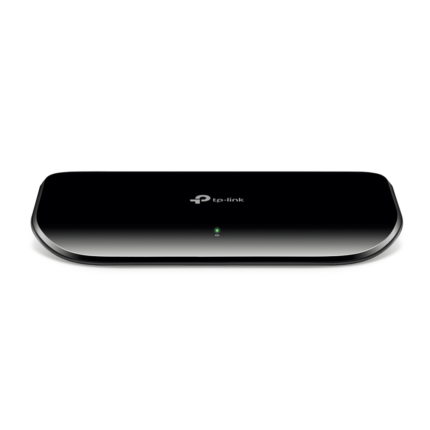
The TP-Link TL-SG1008D 08 Port Gigabit Desktop Switch delivers simple, reliable wired networking for small offices and home setups. This compact switch offers eight Gigabit ports, plug-and-play operation, and energy-saving features. If you need to expand wired connections without complexity, this switch is a strong contender. This article provides an in-depth TP-Link TL-SG1008D 08 Port Gigabit Desktop Switch review, covers specs and features, compares price and value, and gives a practical buying guide.
TP-Link TL-SG1008D 08 Port Gigabit Desktop Switch: Features & Specs
The TL-SG1008D packs essential performance into a small package. It supports full Gigabit Ethernet on all eight ports. The switch uses store-and-forward switching and maintains low latency under typical loads. It also implements energy-efficient Ethernet technology to reduce power use without impacting throughput.
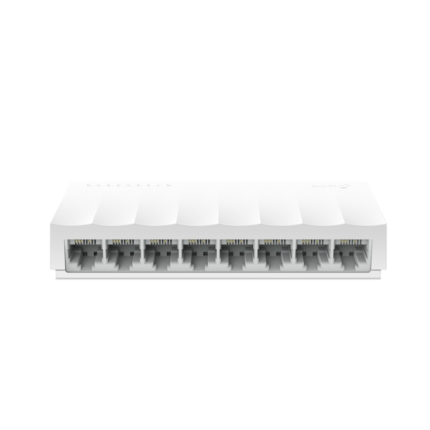
- 8 x Gigabit RJ45 ports (10/100/1000 Mbps)
- Non-blocking switching architecture with up to 16 Gbps switching capacity
- Auto MDI/MDIX on all ports
- Plug-and-play setup with no configuration required
- Energy-Efficient Ethernet (IEEE 802.3az) and intelligent power-saving
- Fanless design for silent operation
- Metal desktop/rack-mountable case (compact footprint)
Recommended Products
tp-link tl-sg1008d 08 port gigabit desktop switch review: Real-World Performance
In daily use, the TL-SG1008D behaves as advertised. It establishes Gigabit links with modern PCs, NAS devices, and routers. File transfers between two PCs on the switch approach wired Gigabit speeds. Video streaming and VoIP traffic ran smoothly during tests. The switch handles concurrent transfers without noticeable packet loss for small networks.
Latency remains low for typical office tasks. The device lacks advanced QoS and managed features. That absence limits suitability for complex networks that require VLANs or traffic shaping. For most homes and small businesses, the simplicity is an advantage. The plug-and-play approach reduces setup time and potential configuration errors.
Design, Build, and Installation
The TL-SG1008D uses a metal chassis that feels durable. The footprint suits desktops, shelves, or small racks. LEDs for each port show link and activity, which helps with troubleshooting. The unit runs silently because it has no fan. It draws little power, and the intelligent energy-saving features adjust power by cable length and link status.
- Easy installation: connect devices and power on.
- LED indicators for quick diagnostics.
- Fanless design for quiet environments.
tp-link tl-sg1008d 08 port gigabit desktop switch price and value
Price-wise, the TL-SG1008D targets budget-conscious buyers. It typically sells at a low to mid-range price compared to managed switches. The exact tp-link tl-sg1008d 08 port gigabit desktop switch price varies by retailer and region. When considering value, weigh the cost against features you need. If you only need reliable Gigabit ports without management, this switch offers excellent value.
Examples of typical use cases that justify the price:
- Expanding wired ports for a home office to connect PCs and NAS devices.
- Providing Ethernet to smart TVs and game consoles in a living room setup.
- Basic network aggregation for a small office without VLAN needs.
How the TL-SG1008D compares to alternatives
Compared to unmanaged switches from other brands, the TL-SG1008D often matches or exceeds durability and performance at similar price points. Managed switches add configuration, VLANs, and QoS. Those features cost more and require setup knowledge. If your network needs segmentation or advanced traffic policies, choose a managed model. If not, the TL-SG1008D reduces complexity and maintenance.
For comparison:
- Unmanaged alternatives: similar ease of use, similar port counts, and comparable prices.
- Managed switches: offer more control but at higher cost and complexity.
- Consumer routers with multiple LAN ports: can serve similar roles but typically lack true switching capacity for many simultaneous Gigabit transfers.
Practical setup tips and troubleshooting
Follow these practical steps to get the best results:
- Use quality Cat5e or Cat6 cables for guaranteed Gigabit performance.
- Check LED indicators to confirm link status and activity.
- Place the switch in a ventilated area to prevent heat buildup.
- For NAS or storage tasks, connect source and destination devices to the switch directly when possible to avoid router hops.
- Power-cycle the switch if you experience persistent link drops; this often clears transient issues.
Troubleshooting common scenarios:
- No link: verify cable type and connectors, test with a known-good cable, and check device NIC status.
- Reduced speeds: ensure both devices and cables support Gigabit; confirm NIC settings on PCs are set to auto-negotiate.
- Intermittent dropouts: test with alternate ports and devices to isolate a faulty port or cable.
tp-link tl-sg1008d 08 port gigabit desktop switch specs: Technical details
Key specs summarize the hardware and performance limits. These details matter when planning a network with specific throughput needs.
- Ports: 8 x 10/100/1000 Mbps RJ45
- Switching capacity: 16 Gbps
- Forwarding rate: up to 11.9 Mpps
- MAC address table size: 8K entries
- Energy saving: IEEE 802.3az compliance
- Power consumption: low, varies by load and cable lengths
Best tp-link tl-sg1008d 08 port gigabit desktop switch use cases
The TL-SG1008D fits several “best for” scenarios:
- Best for home labs: reliable baseline performance for multiple devices.
- Best for small offices: provides extra ports with minimal management overhead.
- Best for media setups: supports multiple streaming devices and local NAS access.
It is not the best choice if you need traffic management, VLANs, or PoE. For those requirements, select a managed or PoE-capable switch instead.
tp-link tl-sg1008d 08 port gigabit desktop switch buying guide
Follow this buying guide to decide if the TL-SG1008D meets your needs. Ask key questions before purchasing.
- How many wired devices do you need to connect now and in the next two years?
- Do you require VLANs, QoS, or remote management?
- Will devices require PoE for cameras or phones?
- Do you need silent operation in a living space?
- What is your budget compared to available alternatives?
If you need seven or more ports and want a compact, silent, and affordable switch, the TL-SG1008D is a practical pick. If you anticipate advanced network segmentation or Power over Ethernet, factor those needs into your decision and choose accordingly.
Frequently Asked Questions
Does the TP-Link TL-SG1008D support Gigabit speeds on all ports?
The switch provides full Gigabit (10/100/1000 Mbps) support on all eight ports when used with compatible devices and quality cables.
Is the TL-SG1008D suitable for small business networks?
Yes, it suits small business environments that only need extra wired ports without advanced management features. For complex setups, a managed switch is better.
Can I rack-mount the TP-Link TL-SG1008D?
The unit is designed for desktop use but can be mounted in small racks with third-party brackets. Check dimensions and mounting hardware compatibility first.
How energy efficient is the TL-SG1008D?
The switch supports Energy-Efficient Ethernet and uses intelligent power saving based on cable length and link status, which reduces electricity use compared to older non-EE Ethernet switches.
Conclusion
The TP-Link TL-SG1008D 08 Port Gigabit Desktop Switch delivers dependable Gigabit connectivity, silent operation, and strong value for homes and small offices. It focuses on ease of use rather than advanced management. If you want simple plug-and-play expansion with reliable throughput, the TL-SG1008D is a practical choice. Review your needs for VLANs or PoE before buying, and compare tp-link tl-sg1008d 08 port gigabit desktop switch price options to get the best deal.