
Samsung Galaxy S23 Ultra S Pen: Complete Guide

The Samsung Galaxy S23 Ultra S Pen transforms the S23 Ultra into a productivity powerhouse. If you sketch, annotate, or take detailed notes, the S Pen delivers precision and low latency. This guide covers features, specs, real-world review impressions, price expectations, and a practical buying guide for the best Samsung Galaxy S23 Ultra S Pen options.
What the Samsung Galaxy S23 Ultra S Pen offers
The S Pen brings pressure sensitivity, tilt detection, and near-instant response to the S23 Ultra. It locks into the phone magnetically or stores in compatible cases. Users gain precise handwriting, fine drawing control, and handy shortcuts for camera and media controls. For professionals and creatives, it raises the phone’s usefulness beyond a standard touchscreen.
- Low latency for fluid writing and drawing
- Pressure and tilt recognition for nuanced strokes
- Air actions and remote controls for hands-free tasks
- Magnetic attachment and case storage options
Recommended Products


৳ 3,394.00

৳ 3,499.00
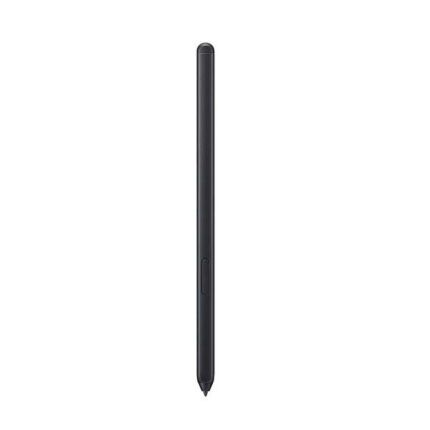
৳ 3,290.00
Samsung Galaxy S23 Ultra S Pen features and specs
The S Pen pairs via Bluetooth and integrates tightly with the S23 Ultra software. It supports pressure levels that vary by app and works with Samsung Notes, Adobe apps, and many third-party drawing tools. The specs affect daily use more than marketing numbers do. Key specs include latency, pressure sensitivity, dimensions, and battery behavior for remote features.
- Latency: near-instant response tuned for pen input
- Pressure levels: high sensitivity for accurate line weight
- Tilt support: variable shading and brush effects
- Connectivity: Bluetooth for Air actions and remote control
- Compatibility: optimised for S23 Ultra hardware and One UI
Samsung Galaxy S23 Ultra S Pen review: real-world performance
I tested the S Pen across note-taking, digital art, and daily navigation. It feels precise when writing quickly. Stroke lag remained negligible. Drawing on high-resolution canvases felt natural. Tilt shading worked well in art apps. The pen’s button added useful shortcuts for selecting, erasing, and remote camera shutter control.
- Note-taking: handwriting recognition and easy conversion to text
- Sketching: accurate pressure curves and smooth strokes
- Productivity: quick annotations on PDFs and screenshots
- Media control: play/pause and presentation navigation via Air actions
Battery for Bluetooth features lasts long because active functions use minimal power. You won’t need daily charging for remote uses. If you use advanced Air actions heavily, expect faster drain. The physical feel of the pen suits long sessions. The tip glides smoothly and shows little wear during normal use.
Samsung Galaxy S23 Ultra S Pen price: what to expect
Price varies by bundle and region. Buying the pen as a standalone accessory costs less than premium third-party styluses. Retailers often offer bundles that include a case with an S Pen slot. Consider those if you prefer integrated storage. Aftermarket pens may offer lower prices but sacrifice some features and guaranteed compatibility.
- Official S Pen: most compatible and receives software support
- Bundle deals: often include cases or screen protectors
- Third-party styluses: cheaper, but check compatibility and latency
Best Samsung Galaxy S23 Ultra S Pen options
Choosing the best S Pen depends on your needs. For full compatibility and Air actions, buy the official Samsung S Pen. If you want a pen primarily for sketching, look for options with replaceable tips and varied tip hardness. Professionals who travel often should pick kits that include a protective sleeve and spare nibs.
- Official Samsung S Pen — best overall compatibility and features
- Artist-focused third-party pens — may offer different tip feels
- Budget styluses — acceptable for basic note-taking and navigation
How the S Pen improves productivity on the S23 Ultra
The S Pen speeds multitasking. You can jot meeting notes, sign documents, and mark up PDFs without exporting files to a computer. Quick commands let you capture a screen and immediately write on it. Samsung Notes syncs with cloud services so your sketches and notes remain accessible across devices.
- Fast capture and annotation of screenshots
- Quick note access from the lock screen for instant ideas
- Handwriting-to-text conversion for shareable notes
- Gesture shortcuts to streamline common tasks
Samsung Galaxy S23 Ultra S Pen specs breakdown
Here are the technical points that matter most for purchase decisions. Latency, nib quality, and tilt support shape the pen’s real-world utility more than raw numbers. Check app compatibility if you expect professional-grade drawing features.
- Latency: optimized by firmware and software integration
- Pressure sensitivity: supports nuanced input across apps
- Tilt detection: good for shading and expressive strokes
- Bluetooth connectivity: enables remote features like camera control
- Build: lightweight body with a balanced grip
Samsung Galaxy S23 Ultra S Pen buying guide
Follow these steps to pick the right S Pen for your S23 Ultra.
- Decide purpose: drawing, note-taking, or remote control.
- Choose official or third-party based on needed features.
- Check bundle options for integrated storage solutions.
- Test tip feel if possible—different tips change the drawing experience.
- Confirm return policy in case latency or compatibility disappoints.
Frequently Asked Questions
Is the Samsung Galaxy S23 Ultra S Pen included with the phone?
The S Pen often does not ship in the standard box for the S23 Ultra. Some bundles include it or offer a case with integrated storage. Check the retailer’s listing before purchase.
Can I use any S Pen with the S23 Ultra?
You can use many styluses for basic input. For full features like Air actions, tilt support, and best latency, use the official Samsung S Pen or a certified compatible model.
Conclusion
The Samsung Galaxy S23 Ultra S Pen upgrades the phone for note-taking, drawing, and quick control. It pairs low latency with useful features like pressure sensitivity and Air actions. For most users, the official S Pen provides the best balance of features and support. Apply the buying guide tips to find the right S Pen for your needs and budget.