
Samsung Galaxy S22 Ultra S Pen Stylus Guide

The Samsung Galaxy S22 Ultra S Pen Stylus transforms how you use your phone. It delivers precision for notes, sketches, and navigation. This guide covers the stylus features, specs, price, and practical use tips. You will also find a hands-on style review, comparisons to alternatives, and a clear buying guide.
Overview: Samsung Galaxy S22 Ultra S Pen Stylus Features
The S Pen integrates tightly with the S22 Ultra hardware and software. It offers low latency and high pressure sensitivity. Use it for handwriting, drawing, and precise editing. The stylus also unlocks productivity features like Air Actions and Smart Select. These tools speed up common tasks and improve workflows.
- Low latency for near-real-time writing and drawing
- High pressure sensitivity for detailed strokes
- Air Actions for gesture controls
- Built-in storage slot in the S22 Ultra body
Recommended Products

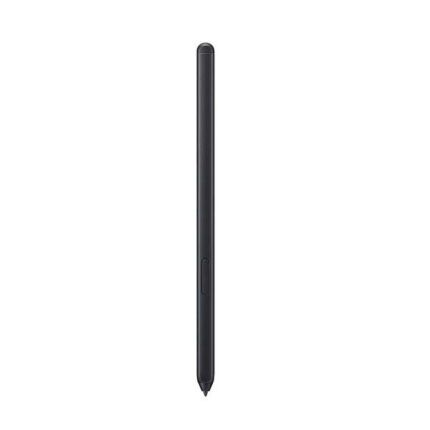
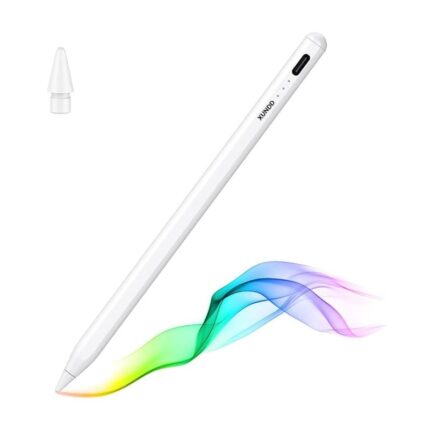

Key Specs of the Samsung Galaxy S22 Ultra S Pen Stylus
Understanding specs helps you match the stylus to your needs. The S Pen uses Wacom-based technology. It supports thousands of pressure levels. Latency measures under 5 milliseconds on the S22 Ultra display. The stylus connects passively, so it needs no Bluetooth for basic use. Bluetooth enhances remote control features when available.
- Pressure sensitivity: thousands of levels for precise input
- Latency: ultra-low for fluid handwriting
- Connection: passive input and optional Bluetooth for Air Actions
- Integration: housed inside the S22 Ultra for secure storage
Practical Features and What They Mean for You
The S Pen adds speed and accuracy. Note-taking becomes faster than typing for many users. Designers and artists benefit from pressure sensitivity and tilt detection. Students get quick screenshots with Smart Select. Professionals use the stylus for precise photo edits and document markups. The S Pen also supports handwriting-to-text conversion to simplify sharing notes.
- Handwriting-to-text for quick digital notes
- Screen-off memos for instant jotting
- Air Actions to control media and presentations remotely
- Advanced sketching tools in Samsung Notes and third-party apps
Samsung Galaxy S22 Ultra S Pen Stylus Review: Real-World Performance
This review summarizes hands-on performance across daily tasks. Writing feels natural. Lines register cleanly and without lag. Drawing responds to pressure changes. The tilt detection varies by app but works well in Samsung Notes and major drawing apps. The stylus sits snugly in the phone and charges when stored. Battery life for Bluetooth features lasts days under normal use.
- Writing: accurate and fluid for notes and annotations
- Sketching: strong pressure response for shading
- Gestures: reliable for media control and camera shortcuts
- Portability: built-in slot removes need to carry extra accessories
Samsung Galaxy S22 Ultra S Pen Stylus Price and Value
Price influences whether the S Pen feels like a sensible purchase. The stylus ships built into the Galaxy S22 Ultra. That integration adds value compared to phones that require separate purchases. If you compare standalone costs, compatible S Pens or alternatives may vary by region and retailer. Factor in included software features and built-in storage when assessing value.
- Included with the S22 Ultra model, making it cost-effective
- Standalone or replacement pens vary by market and seller
- Consider warranty and compatibility when buying replacements
Best Samsung Galaxy S22 Ultra S Pen Stylus Alternatives
Some users seek alternatives for a different feel or extra features. Third-party styluses may offer varied tip materials and compatibility. Most alternatives focus on drawing tips, palm rejection improvements, or Bluetooth controls. Choose a model that lists explicit support for the S22 Ultra to avoid reduced functionality.
- Select styluses that advertise S Pen compatibility to preserve pressure and latency
- Choose models with replaceable tips for longer life
- Consider brand reputation and warranty for replacements
Buying Guide: How to Choose the Right S Pen for the S22 Ultra
Match the stylus to your primary use. For note-takers, choose a pen with low latency and reliable handwriting-to-text. For artists, prioritize pressure sensitivity and tilt recognition. Check that the stylus supports Air Actions if you need remote controls. Verify whether the pen fits the built-in silo if you want integrated storage.
- Use case: choose features based on writing or drawing needs
- Compatibility: confirm the pen supports Galaxy S22 Ultra features
- Build quality: look for durable tips and thin nibs for detailed work
- Warranty and return policy: protect your purchase from defects
Specs Comparison: What to Look For
When comparing specs, check latency, pressure levels, and connectivity. Lower latency improves handwriting comfort. Higher pressure levels provide smoother gradients in art. Bluetooth enables extra features but drains some battery. Also, examine tip material and replaceability for long-term use.
- Latency under 10 ms for near real-time feeling
- High pressure sensitivity for nuanced strokes
- Bluetooth for Air Actions and remote control features
- Replaceable tips for maintenance and longevity
Tips to Maximize Your S Pen Experience
Optimize settings and apps to get the most from the stylus. Calibrate handwriting settings in Samsung Notes. Choose brushes with pressure support in drawing apps. Keep the pen charged when using Bluetooth tools. Use the built-in silo to prevent loss. Replace tips periodically for consistent performance.
- Customize pen settings in Samsung Notes for faster recognition
- Use pressure-aware brushes in supported apps
- Store the S Pen in its slot to avoid damage
- Replace worn tips to maintain drawing fidelity
Frequently Asked Questions
Does the S Pen come with the Galaxy S22 Ultra? The S Pen is included with the Samsung Galaxy S22 Ultra model. That makes it ready to use out of the box.
Can I buy a replacement S Pen and what is the price? Replacement S Pens and compatible styluses vary by retailer. Prices depend on region and model. Check official Samsung stores and authorized sellers for accurate pricing.
How does the S Pen compare to other styluses for drawing? The S Pen offers low latency and high pressure sensitivity. Many artists find it suitable for sketching and detailed work. Some third-party tablets and styluses may offer different tip feels or higher pressure levels, but compatibility can vary.
Is the S Pen good for note-taking and productivity? Yes. The S Pen improves note-taking speed and accuracy. Features like handwriting-to-text and screen-off memos boost productivity for students and professionals.
Conclusion
The Samsung Galaxy S22 Ultra S Pen Stylus delivers precision, productivity, and creative control. Its low latency and strong pressure sensitivity suit note-takers and artists. The built-in storage and software integration add real value. Use this guide to compare specs, check price options, and select the best stylus for your needs. Choose a model that matches your workflow and budget to get the most from the S Pen.