
Logitech H110 STEREO Headset Review & Buying Guide

If you need a reliable wired headset that balances comfort, clear audio, and an affordable price, the Logitech H110 STEREO Headset deserves attention. This entry-level model targets remote workers, students, and casual gamers who want straightforward performance without extras. In this review, I cover real-world performance, key specs, notable features, and practical buying advice so you can decide if the H110 fits your needs.
Logitech H110 STEREO Headset Review: What to Expect
The Logitech H110 STEREO Headset delivers simple stereo sound with a focus on voice clarity. It uses a noise-canceling microphone that reduces background hiss during calls. The earcups sit on-ear and use soft padding for extended use. These design choices make the H110 a dependable choice for long video meetings and voice chats.
- Clear voice pickup for calls and online classes
- Lightweight build suits long sessions
In everyday use, the H110 does not aim to replace high-end headphones. Instead, it provides consistent vocal clarity and easy plug-and-play connectivity. The wired 3.5mm connector works with most PCs, laptops, tablets, and many consoles with compatible jacks. If you prioritize wireless freedom or immersive surround sound, look elsewhere. If you want budget reliability, the H110 performs well.
Recommended Products

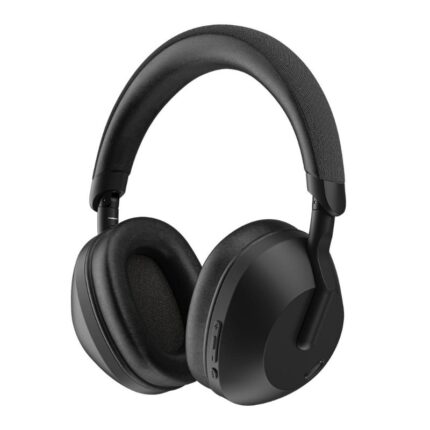


Logitech H110 STEREO Headset Specs and Build
Understanding the logitech h110 stereo headset specs helps you match the product to your setup. The headset uses 30mm drivers that offer balanced midrange and clear dialogue. Impedance sits low to ensure compatibility with common devices without needing amplification. The cable includes an inline volume control and a rigid plug to reduce signal loss.
- Driver size: 30 mm
- Connector: 3.5mm stereo plug (single or dual plugs vary by package)
- Microphone: Noise-canceling, adjustable boom
- Cable length: Approximately 2 meters
- Compatibility: PC, Mac, laptops, tablets and compatible consoles
Build quality feels sturdy for the price. The headband uses a flexible plastic with a thin foam cushion. The ear pads use soft fabric that breathes more than leatherette. The microphone attaches to a flexible boom so you can position it close to the mouth. Overall, the H110 balances durability and light weight well.
Logitech H110 STEREO Headset Features and Performance
Key logitech h110 stereo headset features center on voice clarity and straightforward controls. The noise-canceling mic reduces ambient sound so callers hear you clearly. Inline volume and mute controls give you quick access without opening software menus. The headset works reliably with common conferencing platforms like Zoom and Microsoft Teams.
- Noise-canceling microphone for clearer calls
- Inline volume and mute switch for quick adjustments
- Universal wired compatibility with minimal setup
Audio performance suits speech and casual media. Voices sound natural and present. Bass response is limited compared with over-ear headphones, so music fans seeking deep lows may want a different model. For podcasting, streaming voice chat, or attending virtual classes, the H110 provides good value. It keeps sound leakage low at typical volumes, which helps in shared spaces.
Logitech H110 STEREO Headset Price and Value
When evaluating logitech h110 stereo headset price, consider total value rather than unit cost alone. The H110 often sits in the budget tier and undercuts many competitors that cut corners on microphone quality. You get a headset that works out of the box, needs no drivers, and fits most setups.
- Low purchase cost compared with branded gaming headsets
- Strong microphone performance for calls at the price point
- Durable enough for daily remote work use
If you operate on a tight budget and need dependable voice performance, the H110 presents a strong value. Businesses outfitting call centers or educators supplying remote learners will find its predictable performance useful. For people who require advanced audio features like virtual surround or wireless freedom, higher-tier models offer better long-term value.
Best Logitech H110 STEREO Headset Use Cases
Picking the best logitech h110 stereo headset depends on your priorities. The H110 excels where voice clarity and simple connection matter most. Below are scenarios where this headset typically shines.
- Remote workers and freelancers attending many voice meetings
- Students and teachers in online classes
- Podcasters and streamers on a budget who prioritize clear speech
- Casual gamers who play multiplayer titles and need reliable chat
For music producers or audiophiles, the H110 may feel limited. For anyone focused on communication and comfort, the H110 often checks the right boxes. Its low weight reduces neck strain during prolonged use, and breathable fabric pads lower heat buildup compared with faux leather.
Logitech H110 STEREO Headset Buying Guide
This logitech h110 stereo headset buying guide highlights considerations before purchase. Follow these steps to ensure the headset matches your needs and environment.
- Check compatibility: Confirm if your device uses a single 3.5mm jack or separate headphone and microphone jacks. Some H110 packages include dual plugs or a single combined plug.
- Assess call environment: If you work in noisy areas, test the microphone for background rejection to ensure clarity for callers.
- Plan for long use: Choose fabric ear pads if you sweat during long sessions. Fabric breathes better than leatherette.
- Decide on mobility: If you need to move around, consider a headset with a longer cable or a USB adapter that allows comfortable placement.
- Compare prices: The logitech h110 stereo headset price can vary across retailers. Look for warranties or bulk purchase discounts if buying for teams.
Also inspect return policies. If the fit or audio deviates from expectations, a straightforward return process helps. If you plan to use USB-only devices, budget for a compatible adapter or consider a USB headset alternative.
Frequently Asked Questions
Is the Logitech H110 STEREO Headset good for gaming?
The H110 works well for voice chat and casual gaming. It lacks surround sound and advanced audio tuning found in gaming-specific headsets, but it captures clear voice and connects easily to most controllers and PCs.
Does the Logitech H110 have a noise-canceling microphone?
Yes. The headset features a noise-canceling boom mic that reduces background noise and improves call clarity. It helps ensure your voice remains clear in typical home and office environments.
What devices are compatible with the H110?
The H110 uses a 3.5mm connector and works with PCs, Macs, laptops, tablets, and mobile devices that accept wired headsets. Some packages include separate plugs for microphone and headphone jacks for older desktop setups.
How does the Logitech H110 compare with wireless headsets?
The H110 offers more consistent audio without battery concerns and usually costs less. Wireless models give movement freedom and advanced features. Choose wired if you want reliability and lower cost.
Can I use the H110 for recording podcasts?
You can use the H110 for spoken-word recording in a pinch. It captures clear voice but lacks the warmth and depth of dedicated condenser microphones. For professional podcasting, consider upgrading to a dedicated mic later.
Conclusion
The Logitech H110 STEREO Headset earns its place as a practical, budget-friendly headset for voice-first users. It offers reliable voice clarity, decent comfort, and broad compatibility at a low cost. If your priority lies with clear calls, straightforward setup, and dependable daily use, the Logitech H110 STEREO Headset is a smart choice. Use the specs, features, and buying guide here to compare options and make an informed purchase that fits your workflow or gaming setup.